As an Amazon Associate, we earn from qualifying purchases. Some links on this site are affiliate links at no extra cost to you. Our recommendations are based on thorough research and editorial judgment.

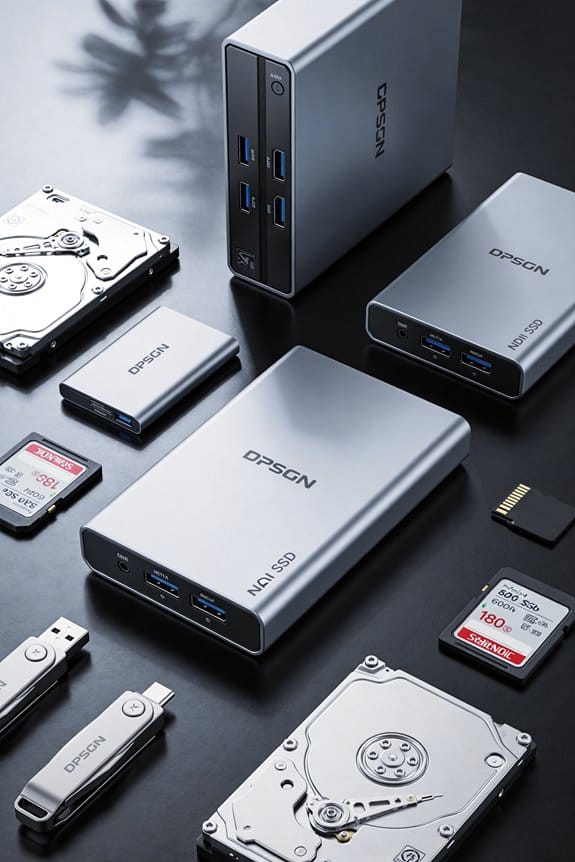
10 Best External Hard Drives for Mac That Actually Work Seamlessly

You’ll find that the Toshiba Canvio Slim II, SanDisk Extreme Portable SSD, Samsung T9, and LaCie Rugged Mini arrive preconfigured or deliver native macOS support with USB 3.0, USB 3.2, or Thunderbolt connectivity, eliminating reformatting friction. SSDs like the SanDisk offer 1,050 MB/s read speeds and IP65 protection; HDDs provide larger capacities at lower costs. Verify filesystem compatibility, thermal management, and encryption support for your specific workflow. The sections below examine capacity planning, durability ratings, and detailed performance metrics across each model.
Key Takeaways
- Mac compatibility requires native APFS/HFS+ formatting or NTFS drivers; verify software compatibility before purchase to avoid reformatting needs.
- USB-C and Thunderbolt interfaces deliver faster speeds than USB 3.0; match drive interface with Mac ports for seamless connectivity.
- SSDs offer superior portability, durability, and performance; they’re lighter, faster (500–2,000 MB/s), and withstand drops better than mechanical drives.
- Hardware encryption (256-bit AES) and password protection ensure security; confirm macOS driver support for encryption features to function properly.
- Rugged designs with IP54–IP65 ratings, drop protection, and shock resistance provide reliable performance in portable and demanding work environments.
| Toshiba Canvio Slim II 1TB Portable Hard Drive | 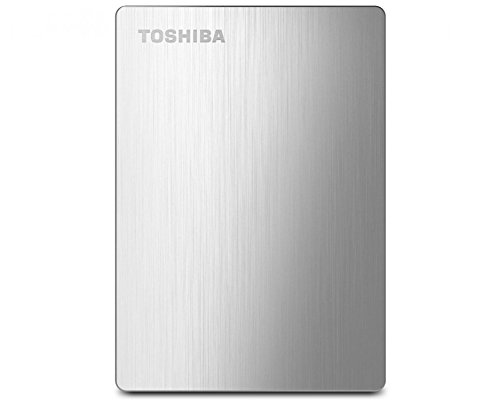 | Best All-in-One | Storage Capacity: 1 TB | Drive Type: Mechanical HDD (5,400 RPM) | Interface/Speed: USB 3.0 | VIEW LATEST PRICE | Read Our Analysis |
| 500GB Ultra Slim Portable External Hard Drive USB 3.0 | 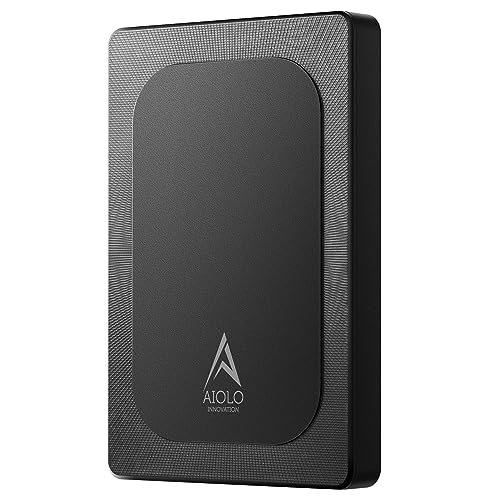 | Budget-Friendly Pick | Storage Capacity: 500 GB | Drive Type: Mechanical HDD (5,400 RPM) | Interface/Speed: USB 3.0 (up to 110–133 MB/s read) | VIEW LATEST PRICE | Read Our Analysis |
| SanDisk 2TB Extreme Portable SSD (SDSSDE61-2T00-G25) |  | Fastest Performance | Storage Capacity: 2 TB | Drive Type: Solid State Drive (SSD) | Interface/Speed: USB-C 3.2 Gen 2 (up to 1,050 MB/s read) | VIEW LATEST PRICE | Read Our Analysis |
| Portable External Hard Drive Storage 1TB USB 3.0 |  | Best Gaming Storage | Storage Capacity: 1 TB | Drive Type: Mechanical HDD (7,200 RPM) | Interface/Speed: USB 3.0/2.0 (up to 5 Gbps) | VIEW LATEST PRICE | Read Our Analysis |
| LaCie Rugged Mini USB 3.0 External Hard Drive | 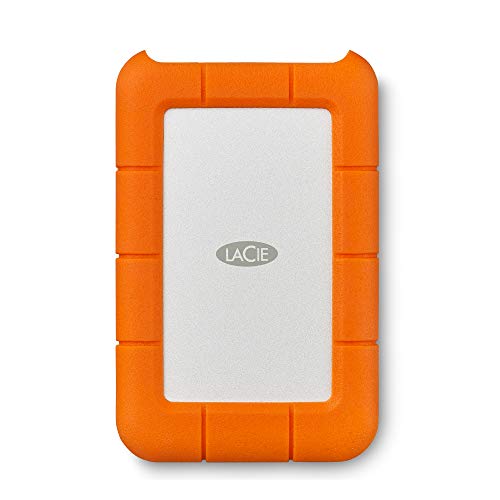 | Most Durable | Storage Capacity: 2 TB | Drive Type: Mechanical HDD (5,400 RPM) | Interface/Speed: USB 3.0 (up to 130 MB/s) | VIEW LATEST PRICE | Read Our Analysis |
| Seagate Portable 2TB External Hard Drive (STGX2000400) |  | Best Value | Storage Capacity: 2 TB | Drive Type: Mechanical HDD (7,200 RPM) | Interface/Speed: USB 3.0 | VIEW LATEST PRICE | Read Our Analysis |
| 1TB Ultra Slim Portable External Hard Drive USB 3.0 | Most Portable | Storage Capacity: 1 TB | Drive Type: Mechanical HDD (5,400 RPM) | Interface/Speed: USB 3.0 (up to 110–133 MB/s read) | VIEW LATEST PRICE | Read Our Analysis | |
| SAMSUNG T9 Portable SSD 4TB USB 3.2 |  | Professional Grade | Storage Capacity: 4 TB | Drive Type: Solid State Drive (SSD) | Interface/Speed: USB 3.2 Gen 2×2 (up to 2,000 MB/s read) | VIEW LATEST PRICE | Read Our Analysis |
| SanDisk Professional 5TB G-Drive ArmorATD Portable Hard Drive | 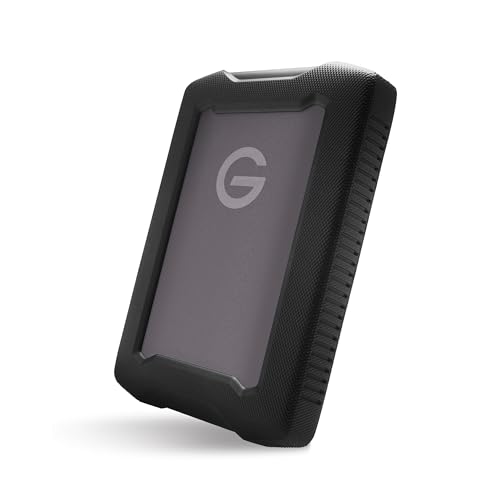 | Best For Creators | Storage Capacity: 5 TB | Drive Type: Mechanical HDD | Interface/Speed: USB 3.2 Gen 1/USB-C (up to 130 MB/s) | VIEW LATEST PRICE | Read Our Analysis |
| GX100 12TB External Hard Drive USB 3.2 |  | Maximum Capacity | Storage Capacity: 12 TB | Drive Type: Mechanical HDD (7,200 RPM) | Interface/Speed: USB 3.2 Gen 2 (10 Gbps) | VIEW LATEST PRICE | Read Our Analysis |
You may be interested

More Details on Our Top Picks
Toshiba Canvio Slim II 1TB Portable Hard Drive
The Toshiba Canvio Slim II 1TB Portable Hard Drive stands out for Mac users who need cross-platform compatibility without reformatting, since it arrives preformatted with an NTFS driver already loaded for seamless access on macOS systems. This 2.5-inch mechanical drive operates at 5,400 RPM with USB 3.0 connectivity, measuring 4.21 by 2.95 by 0.49 inches and weighing 5.4 ounces. The device includes automatic backup software with password-protected encryption up to 256-bit, password lock access protection, and 10 GB lifetime cloud storage. Its three-year limited warranty guarantees extended coverage for Mac and Windows users requiring reliable external storage solutions.
- Storage Capacity:1 TB
- Drive Type:Mechanical HDD (5,400 RPM)
- Interface/Speed:USB 3.0
- Form Factor:2.5-inch portable
- Mac Compatibility:Mac-compatible (NTFS driver preloaded)
- Durability/Protection:3-year limited warranty, password protection
- Additional Feature:10 GB lifetime cloud storage
- Additional Feature:Automatic scheduled backups
- Additional Feature:Password-protected 256-bit encryption
500GB Ultra Slim Portable External Hard Drive USB 3.0
Aiolo Innovation’s Model A4 external hard drive, weighing merely 7.7 ounces and measuring 0.5 x 4.56 x 3.15 inches, delivers 500GB of portable storage through a 2.5-inch mechanical HDD operating at 5400 RPM, making it ideal for Mac users requiring lightweight, pocket-sized data backup without desktop infrastructure. The device achieves theoretical read speeds of 110–133 MB/s and write speeds of 103 MB/s via USB 3.0 connectivity, while maintaining compatibility across Windows, Mac, Linux, Android, PS4, Xbox One, and Xbox 360 platforms. Its aluminum anti-interference layer facilitates heat dissipation and data protection, coupled with plug-and-play installation requiring no software configuration. The three-year manufacturer’s warranty provides extended coverage.
- Storage Capacity:500 GB
- Drive Type:Mechanical HDD (5,400 RPM)
- Interface/Speed:USB 3.0 (up to 110–133 MB/s read)
- Form Factor:2.5-inch portable
- Mac Compatibility:Mac-compatible (plug-and-play)
- Durability/Protection:3-year warranty, quiet operation, aluminum anti-interference layer
- Additional Feature:Compatible with PS4/Xbox One
- Additional Feature:Plug-and-play, no software required
- Additional Feature:Aluminum anti-interference heat layer
SanDisk 2TB Extreme Portable SSD (SDSSDE61-2T00-G25)
SanDisk’s 2TB Extreme Portable SSD delivers exceptional performance for content creators and photographers who require fast, high-capacity storage without sacrificing portability. You’ll experience read speeds up to 1050 MB/s and write speeds reaching 1000 MB/s through USB 3.2 Gen 2 connectivity, enabling rapid file transfers and workflow efficiency. The drive features IP65 water and dust resistance, three-meter drop protection, and 256-bit AES hardware encryption, providing durability and security for professional use. Its compact 2.5-inch form factor, weighing 1.76 ounces, guarantees portability across devices, while the integrated carabiner loop facilitates convenient attachment to bags or equipment.
- Storage Capacity:2 TB
- Drive Type:Solid State Drive (SSD)
- Interface/Speed:USB-C 3.2 Gen 2 (up to 1,050 MB/s read)
- Form Factor:2.5-inch portable SSD
- Mac Compatibility:Mac-compatible (native support)
- Durability/Protection:IP65 water/dust resistance, 3-meter drop protection, 256-bit encryption
- Additional Feature:Up to 1050 MB/s read speed
- Additional Feature:3-meter drop protection
- Additional Feature:IP65 water/dust resistance
Portable External Hard Drive Storage 1TB USB 3.0
For users who require flexible cross-platform compatibility and gaming device integration, YOTUO’s SY-HDD01-1000 model delivers 1TB storage capacity with USB 3.0 connectivity supporting transfer speeds up to 5.0 Gbit/s across Windows, Linux, and Mac OS systems. The 2.5-inch hybrid drive operates at 7200 RPM, weighing 5.6 ounces with dimensions of 4.84 x 3.07 x 0.67 inches. Mac users must perform initial ExFAT formatting before operation. The drive features a patented silicone sleeve for shock protection, making it suitable for portable use across multiple devices and platforms requiring reliable external storage solutions.
- Storage Capacity:1 TB
- Drive Type:Mechanical HDD (7,200 RPM)
- Interface/Speed:USB 3.0/2.0 (up to 5 Gbps)
- Form Factor:2.5-inch portable
- Mac Compatibility:Mac-compatible (requires reformatting to ExFAT)
- Durability/Protection:Silicone shock/drop protection sleeve, 5,600 RPM
- Additional Feature:PS5/Xbox Series X/S compatible
- Additional Feature:Patented silicone shock protection
- Additional Feature:7200 RPM rotational speed
LaCie Rugged Mini USB 3.0 External Hard Drive
The LaCie LAC9000298 Rugged Mini delivers mobile-storage durability for professionals and frequent travelers who require impact-resistant data protection. You’ll appreciate its 2TB capacity, USB 3.0 interface supporting up to 130 MB/s transfer speeds, and shock-resistant construction withstanding four-foot drops. The drive operates at 5,400 RPM and remains compatible with Windows 7 or later and Mac OS X 10.5 or later, though Mac reformatting may be necessary. Built-in password protection, dust and water resistance, and a two-year limited warranty enhance its appeal for demanding users requiring reliable, portable storage solutions.
- Storage Capacity:2 TB
- Drive Type:Mechanical HDD (5,400 RPM)
- Interface/Speed:USB 3.0 (up to 130 MB/s)
- Form Factor:2.5-inch portable
- Mac Compatibility:Mac-compatible (may require reformatting)
- Durability/Protection:Drop resistance (4 feet), shock/crush/dust/water resistant, 2-year warranty
- Additional Feature:4-foot drop resistance
- Additional Feature:Built-in password protection
- Additional Feature:Up to 130 MB/s transfer speed
Seagate Portable 2TB External Hard Drive (STGX2000400)
Seagate’s Portable 2TB External Hard Drive (STGX2000400) combines mechanical storage capacity with USB 3.0 connectivity, making it suitable for Mac users who need reliable backup solutions without software installation requirements. The drive features a 3.5-inch form factor, 7200 RPM rotational speed, and weighs 6.7 ounces, delivering portable functionality across desktops and laptops. You’ll appreciate the plug-and-play simplicity, automatic OS recognition, and included 18-inch USB 3.0 cable enabling immediate data transfer. The device supports Windows and Mac platforms, while the 1-Year Rescue Service provides data recovery protection. Dimensions measuring 4.6 x 3.15 x 0.58 inches accommodate various workspace configurations, and drag-and-drop file management streamlines backup workflows for professional and personal use.
- Storage Capacity:2 TB
- Drive Type:Mechanical HDD (7,200 RPM)
- Interface/Speed:USB 3.0
- Form Factor:3.5-inch portable
- Mac Compatibility:Mac-compatible (may require reformatting)
- Durability/Protection:Plug-and-play, 1-year rescue service included
- Additional Feature:1-year Rescue Service included
- Additional Feature:Drag-and-drop file transfer
- Additional Feature:7200 RPM rotational speed
1TB Ultra Slim Portable External Hard Drive USB 3.0
If you’re seeking reliable backup storage without sacrificing portability, Aiolo Innovation’s 1TB External Hard Drive (A4) delivers a compact mechanical solution through its 2.5-inch form factor, ultra-slim 0.5-inch profile, and lightweight 7.7-ounce construction. The USB 3.0 interface provides theoretical read speeds of 110–133 MB/s and write speeds up to 103 MB/s, ensuring stable, fast transfers across compatible devices including Mac, Windows, Linux, and gaming consoles. Its aluminum anti-interference layer enables improved heat dissipation, while the plug-and-play design eliminates software installation requirements. The included USB-C adapter expands compatibility options, and Aiolo Innovation’s three-year warranty supplies extensive manufacturer protection and technical support services.
- Storage Capacity:1 TB
- Drive Type:Mechanical HDD (5,400 RPM)
- Interface/Speed:USB 3.0 (up to 110–133 MB/s read)
- Form Factor:2.5-inch portable
- Mac Compatibility:Mac-compatible (plug-and-play)
- Durability/Protection:3-year warranty, aluminum anti-interference layer, noise-free operation
- Additional Feature:Compatible with PS4/Xbox One/360
- Additional Feature:Quiet motherboard noise-free solution
- Additional Feature:USB-C adapter included
SAMSUNG T9 Portable SSD 4TB USB 3.2
Samsung’s T9 Portable SSD delivers exceptional performance for creators, gamers, and professionals who require sustained high-speed file transfers and storage capabilities, offering sequential read/write speeds up to 2,000 MB/s when paired with compatible USB 3.2 Gen 2×2 devices and UASP-enabled connections. The 4TB capacity accommodates large video files and demanding applications. Its rugged design survives drops up to 9.8 feet, while AES 256-bit hardware encryption protects your data. Advanced thermal management maintains ideal operating temperatures during intensive workflows. Samsung’s in-house NAND components guarantee reliability and longevity for professional-grade storage demands.
- Storage Capacity:4 TB
- Drive Type:Solid State Drive (SSD)
- Interface/Speed:USB 3.2 Gen 2×2 (up to 2,000 MB/s read)
- Form Factor:2.4-inch portable SSD
- Mac Compatibility:Mac-compatible (native support)
- Durability/Protection:9.8-foot drop protection, 256-bit AES encryption, dynamic thermal guard
- Additional Feature:Up to 2000 MB/s read speed
- Additional Feature:iPhone 15/16 compatible
- Additional Feature:9.8 ft drop endurance
SanDisk Professional 5TB G-Drive ArmorATD Portable Hard Drive
The SanDisk Professional G-Drive ArmorATD stands out for creative professionals, field photographers, and videographers who demand rugged storage without sacrificing performance or Mac compatibility. This 5TB drive delivers 130 MB/s read speeds via USB 3.2 Gen 1, works natively with macOS, and features an IP54-rated anodized aluminum enclosure with protective bumper design. You’ll appreciate its 2.5-inch form factor, weighing 12.3 ounces, making it genuinely portable for fieldwork. The drive accommodates Thunderbolt and USB connectivity, though Windows users require reformatting before use, whereas Mac integration remains seamless and immediate for your professional workflow requirements.
- Storage Capacity:5 TB
- Drive Type:Mechanical HDD
- Interface/Speed:USB 3.2 Gen 1/USB-C (up to 130 MB/s)
- Form Factor:2.5-inch portable
- Mac Compatibility:Mac-compatible (works out of box)
- Durability/Protection:IP54 rugged rating, premium anodized aluminum, easy-grip bumper
- Additional Feature:IP54 rugged outdoor rating
- Additional Feature:Premium anodized aluminum enclosure
- Additional Feature:Up to 130 MB/s transfer rate
GX100 12TB External Hard Drive USB 3.2
OSENTRiX’s GX100 12TB External Hard Drive delivers substantial storage expansion through its 12TB capacity and USB 3.2 Gen 2 interface operating at 10 Gbps, making it well-suited for Mac users who require reliable backup solutions, extensive media library storage, or system file archiving without software installation complexity. The device features a rugged aluminum enclosure, fanless cooling design for silent operation, and industrial-grade construction supporting 7,200 RPM mechanical performance. Its plug-and-play compatibility with macOS guarantees software requirements are unnecessary, while backward compatibility with older USB standards guarantees operational flexibility across multiple devices and connection scenarios.
- Storage Capacity:12 TB
- Drive Type:Mechanical HDD (7,200 RPM)
- Interface/Speed:USB 3.2 Gen 2 (10 Gbps)
- Form Factor:3.5-inch desktop
- Mac Compatibility:Mac-compatible (plug-and-play)
- Durability/Protection:2-year warranty, fanless cooling, rugged aluminum enclosure
- Additional Feature:Built-in USB hub connectivity
- Additional Feature:Fanless silent operation design
- Additional Feature:7200 RPM rotational speed
Factors to Consider When Choosing an External Hard Drive for Mac
When you’re selecting an external hard drive for Mac, you’ll need to evaluate compatibility with macOS systems, USB interface standards, and file format support, alongside storage capacity specifications that align with your backup and archival requirements. Your assessment should encompass transfer speed metrics measured in MB/s, rotational speed for mechanical drives, and cache capacity, which directly impact performance during file transfers and system backups. Additionally, you’ll want to factor in the drive’s physical dimensions, weight, shock resistance ratings, and protective casing materials, as these factors determine both portability for mobile use and durability under varying environmental conditions.
Compatibility And Mac Support
Choosing an external hard drive for your Mac requires careful attention to filesystem compatibility, interface specifications, and software support across your operating system version. You’ll need to verify that your drive supports macOS-compatible filesystems—APFS for SSDs or macOS Extended Journaled for HDDs—to enable Time Machine backups and preserve file metadata. Confirm native USB-C or Thunderbolt support, or obtain appropriate adapters for seamless connectivity. Check macOS version requirements for bundled security software, ensuring compatibility with your specific release. If you’re implementing hardware encryption, verify that password protection drivers support your macOS version to prevent access complications. Match your drive’s interface specifications—USB 3.x, USB-C, or Thunderbolt—to your Mac’s available ports, ensuring your host interface supports advertised transfer rates for peak performance.
Storage Capacity Requirements
After confirming your Mac’s compatibility with a drive’s filesystem and interface specifications, you’ll need to calculate the actual storage capacity that matches your workflow requirements. Start by totaling your current used storage plus anticipated growth, recognizing that 1 TB accommodates approximately 250,000 photos at 4 MB each or roughly 250 hours of HD video at 4 GB per hour. For Time Machine backups, select a drive offering 2–3× your Mac’s internal SSD capacity, enabling multiple historic snapshots and version retention. Large media file workflows, including 4K video, RAW photography, and virtual machines, necessitate 2 TB or higher capacities. Account for formatted capacity reduction of 7–10% below advertised specifications, reflecting decimal-to-binary conversion differences between manufacturers and operating systems.
Speed And Performance Specs
Because interface bandwidth directly constrains your drive’s maximum transfer capabilities, you’ll need to prioritize the connection standard that your Mac supports—USB 3.0 delivers approximately 5 Gbps, USB 3.2 Gen‑2 reaches 10 Gbps, USB‑C offers 10–20 Gbps depending on the protocol version, and Thunderbolt 3/4 provides up to 40 Gbps theoretical throughput. SSDs substantially outperform HDDs, delivering 500–1,000+ MB/s sequential speeds compared to HDDs’ typical 100–200 MB/s performance metrics. Sustained throughput matters more than peak burst rates during real workflows, particularly video editing or large file transfers. SSDs demonstrate markedly lower latency and higher IOPS, enhancing responsiveness when handling numerous small files. Thermal management directly affects performance sustainability, as high-speed NVMe drives and USB-C enclosures can experience throttling under extended use without adequate heat dissipation mechanisms.
Portability And Form Factor
How much weight you’re willing to carry directly determines which external drive form factor best suits your Mac workflow, since 2.5-inch drives typically weigh under 8 ounces and fit into laptop bags or jacket pockets, whereas 3.5-inch desktop drives require external power adapters and lack portability for mobile use. SSDs offer superior portability at under 2 ounces, eliminating bulk from spinning platters found in mechanical drives. Drive thickness matters considerably; slim models measuring 0.4–0.6 inches slide into laptop sleeves, while thicker alternatives demand dedicated storage space. For frequent transport, prioritize shock- and drop-resistant designs with ruggedized enclosures protecting mechanical internals from impact damage. Select drives featuring native USB-C or Thunderbolt connectors, eliminating the need for carrying additional dongles during your workflow.
Durability And Protection Features
Since you’ll rely on your external drive to safeguard critical data, you’d benefit from prioritizing durability specifications that directly correlate with real-world protection against common hazards. SSDs outperform traditional 2.5″ HDDs in shock and drop resistance, often withstanding falls from 1–3 meters without data loss. Verify IP ratings—IP54 through IP65 designations indicate dust and water resistance levels your drive can endure reliably. Physical reinforcements including rubberized housings, reinforced bumpers, and internal shock mounts absorb impact forces and reduce vibration damage during transport or accidental drops. Additionally, review operating temperature ranges and thermal management features like heatsinks to make certain consistent performance across varying environmental conditions you’ll encounter during regular use.
Encryption And Security Options
Data protection through encryption represents a critical consideration when selecting an external hard drive for Mac, and you’ll find that drives supporting 256-bit AES hardware encryption provide industry-standard safeguarding that aligns with professional security requirements. You should verify whether encryption operates at the hardware level, which delivers faster, transparent performance, or software-based implementation, which may necessitate vendor applications and potentially impact transfer speeds during sustained operations. Compatibility with macOS encryption workflows, including FileVault and APFS encryption, requires confirmation to prevent access complications or formatting issues across your systems. You’ll benefit from password-protected locking mechanisms, automatic power-down features for lost or stolen devices, and secure erase functionality that enables complete data removal while maintaining cryptographic integrity during firmware updates and maintenance procedures.
Price And Warranty Coverage
When you’re evaluating external hard drives for Mac, the upfront cost per usable gigabyte—calculated by dividing the total price by the formatted capacity—provides a straightforward metric for comparing value across different models and storage types. SSDs command higher per-gigabyte premiums than HDDs, yet justify costs through superior speed and durability for frequent transfers or editing workflows. Warranty length and coverage scope markedly influence total ownership costs; you’ll want multi-year warranties spanning mechanical failure with accessible RMA procedures. Examine exclusions carefully, as most warranties exclude physical damage, water ingress, and accidental drops. Evaluate whether optional extended or accidental-damage protection justifies additional expense, then factor in required adapters, backup software subscriptions, and potential data recovery services when calculating thorough ownership expenses.
Frequently Asked Questions
Do I Need to Reformat an External Hard Drive to Work With Mac Computers?
You’ll likely need to reformat your external hard drive, as most come formatted with NTFS or exFAT file systems. Mac computers natively support APFS and HFS+, which optimize performance and compatibility. You can reformat the drive using Disk Utility, a built-in Mac application, erasing existing data in the process. Alternatively, you can maintain exFAT formatting, which works across Mac and Windows systems, though it offers reduced performance optimization compared to native Mac file systems.
How Do I Recover Deleted Files From an External Hard Drive Connected to Mac?
Studies indicate that 60% of accidental deletions occur within 48 hours of the initial loss event. You can recover deleted files using specialized software like DiskWarrior, Data Rescue, or iCare, which scan your external drive’s file system sectors and reconstruct lost data structures. Stop using the drive immediately upon deletion discovery; continued write operations overwrite recovery data. Connect your drive via USB, launch recovery software, select the drive, initiate deep scanning, and preview recoverable files before restoration completion.
What’s the Difference Between HDD and SSD for Mac Backup Purposes?
You’ll find that HDDs offer larger storage capacities at lower costs, typically ranging from $50-150 for 1-4TB models, though they’re susceptible to mechanical failure and operate at 5,400-7,200 RPM. SSDs cost more ($80-250 for equivalent capacity), yet they’re faster, more durable, and don’t contain moving parts. You’d experience markedly quicker backup times with SSDs; however, HDDs remain cost-effective for long-term archival storage if you prioritize capacity over speed and durability.
Can I Use the Same External Drive for Both Mac and Windows?
Yes, you can use the same external drive for both Mac and Windows, but you’ll need to format it correctly. You should use exFAT format, which both operating systems recognize and support natively. NTFS works for Windows but requires third-party software on Mac. FAT32 works on both systems but limits file sizes to 4GB maximum. Format your drive as exFAT, then you’ll access it seamlessly across both platforms without compatibility issues.
Why Is My Mac External Hard Drive Running Slowly and How Do I Fix It?
Your Mac’s external drive slows down due to fragmentation, outdated firmware, or USB bandwidth limitations. You’re experiencing reduced read/write speeds, typically dropping from 100MB/s to 20-30MB/s. Fix this by updating the drive’s firmware through the manufacturer’s utility, reformatting to APFS or HFS+, and connecting directly to Thunderbolt ports instead of USB hubs, which markedly improves performance and stability.