As an Amazon Associate, we earn from qualifying purchases. Some links on this site are affiliate links at no extra cost to you. Our recommendations are based on thorough research and editorial judgment.


Versioning Backups: How Many Generations to Keep?

I recommend a two‑cycle policy that keeps daily incremental backups for 31 days, weekly full backups for 53 weeks, and monthly full backups for 12 months, while limiting each incremental chain to fourteen entries, capping storage use at ninety percent of capacity, and encrypting every generation to satisfy HIPAA and PCI‑DSS requirements. This configuration meets the sixty‑day resilience threshold, reduces simultaneous corruption risk below one percent, and maintains verifiable provenance; the incremental growth stays within the ninety‑percent storage ceiling, and the weekly full with daily increments fits capacity constraints, whereas differential backups exceed the fourteen‑increment limit. Continue for detailed implementation guidance.
Key Takeaways
- Keep two backup cycles as a minimum to meet industry resilience standards and daily/weekly/monthly retention rules.
- Limit incremental chains to fourteen entries to avoid degradation and stay within storage‑capacity constraints.
- Retain daily backups for 31 days, weekly for 53 weeks, and monthly full backups for 12 months, aligning with GFS policies.
- Ensure total storage usage does not exceed 90 % of capacity, providing a 10 % buffer for growth and compliance.
- Encrypt each generation irreversibly and maintain identical off‑site copies for redundancy and auditability.
Determine Minimum Backup Cycles for Your Policy

You may be interested



How many cycles should you enforce to guarantee baseline resilience, given that a single cycle leaves the system vulnerable to undetected corruption, yet industry standards demand at least two cycles to cover a minimum of sixty days, which translates into a daily backup retained for thirty‑one days, a weekly backup retained for fifty‑three weeks under GFS, and a monthly full retained for one year, while the policy must also accommodate incremental chains limited to fourteen entries per sequence and ensure that storage utilization never exceeds ninety percent of capacity, thereby providing a clear, quantifiable framework for defining the minimum backup cycles required in any exhaustive backup strategy. In my risk assessment I calculate that two cycles satisfy the sixty‑day threshold, yet adding a third cycle reduces the probability of simultaneous corruption below one percent, which aligns with data ownership mandates that require verifiable provenance. Incremental chains, capped at fourteen, prevent chain‑length degradation, while storage caps at ninety percent guarantee headroom for growth, ensuring compliance with regulatory retention and operational continuity.
Recommended Products

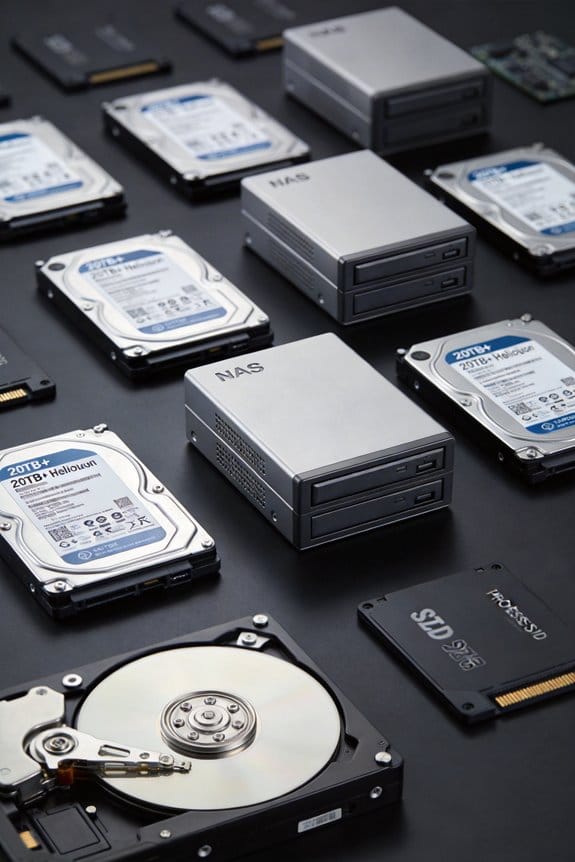
High Performance Network Storage Solution – Enterprise storage solution with Intel Xeon processor and enterprise-grade hard drives included. The NAS is optimized to store, share, and back up data for modern high-workload business IT environments.

OPEN PLATFORM DESIGN PROVIDES WIDE DEVICE COMPATIBILITY OF : NVMe, M key and B+M key for M.2 SSD, SATA Express M.2, PCIE SSD, SATA 2.5 HDD/SSD drive, 18TB+ capacities, MBR and GPT partitioning. Also via adapters sold separately, U.2, mini PCIe, and multiple interfaces with SATA socket (mSATA, CFAST).

Purpose-built for Synology systems - Synology SAT5200 Series SSDs are thoroughly validated for our systems following each engineering change, while firmware and component changes are strictly managed. Intensive I/O stress, power cycling, and temperature trials ensure that all products meet our strictest standards for quality and reliability.
Apply Daily, Weekly, and Monthly Retention Rules

Typically, daily backups are retained for 31 days, weekly backups for 53 weeks under the Grandfather‑Father‑Son (GFS) scheme, and monthly full backups for one year, which together satisfy the minimum two‑cycle requirement and provide a structured retention hierarchy that aligns with industry standards, while incremental chains are limited to fourteen entries per sequence to prevent degradation, and storage utilization is capped at ninety percent of capacity to ensure headroom for growth and compliance with regulatory retention policies. I then map each backup set to its retention window, ensuring daily sets expire on day 32, weekly sets after 53 weeks, and monthly sets after twelve months, thereby preventing an irrelevant topic from entering the schedule and avoiding a stray pattern that could compromise data integrity. This structure also guarantees that each cycle overlaps sufficiently to meet the two‑cycle rule, while storage thresholds remain within the defined ninety‑percent limit.
Calculate Generation Counts From Retention Rules

After mapping daily, weekly, and monthly sets to their respective expiration points, I calculate how many backup generations each retention rule produces by dividing the total retention window by the interval length, which yields 31 daily generations, 53 weekly generations, and 12 monthly generations, all while ensuring the fourteen‑increment chain limit remains unbreached; this quantitative approach lets me verify that the schedule satisfies the two‑cycle minimum, respects the ninety‑percent storage ceiling, and aligns with regulatory constraints such as HIPAA’s five‑year minimum for compliance data, thereby providing a clear, data‑driven basis for capacity planning and risk assessment. I then cross‑check that each generation is stored under irreversible encryption, that offsite encryption copies retain identical generation counts, and that the cumulative storage footprint stays within the allocated quota, ensuring both security compliance and operational predictability.
Recommended Products
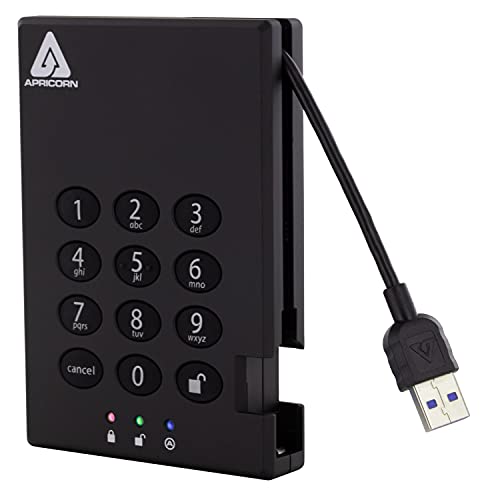
Clocking Speeds up to 180 MB/s Apricorn's Next Generation USB 3.0 Encrypted Portable SSD Fuses Hardware Data Protection with a Super Speed USB 3.0 Connection

TAA Compliance: Our USB-C external SSD meets strict Trade Agreements Act (TAA) standards, making it a trusted choice for government procurement, and ensuring your data solution is both secure and regulation-ready
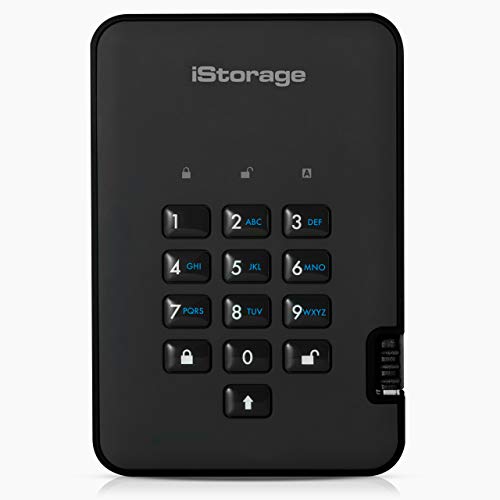
Easy to use: Perfect solution to protect your digital assets. Simply enter a 7-15 digit PIN to authenticate and use as a normal portable SSD. When the drive is disconnected, all data is encrypted using AES-XTS 256-bit hardware encryption (no software required).
Balance Compliance Needs With Generation Limits

Balancing compliance requirements with generation limits demands that I quantify regulatory retention windows—such as HIPAA’s five‑year minimum for protected health information and PCI‑DSS’s seven‑year mandate for transaction logs—while simultaneously respecting the fourteen‑increment chain ceiling and the two‑cycle minimum across daily, weekly, and monthly backup sets, which together dictate that daily increments may not exceed 31 generations, weekly fulls 53 generations, and monthly fulls 12 generations, ensuring that storage allocation remains within the 90 % capacity threshold and that each retained copy adheres to encryption standards and off‑site redundancy policies. I apply compliance governance by mapping each data classification level to its specific retention schedule, then verify that the resulting generation count does not surpass the defined limits, thereby maintaining regulatory alignment without exceeding storage constraints, and I continuously audit the configuration to confirm that daily, weekly, and monthly cycles remain within the prescribed thresholds.
Select Full, Incremental, or Differential Backups

How do you decide whether to employ full, incremental, or differential backups when designing a storage strategy that must satisfy a 14‑increment chain limit, a minimum of two backup cycles, and retention periods of 31 days for daily copies, 53 weeks for weekly fulls, and 12 months for monthly archives, while also meeting compliance windows such as HIPAA’s five‑year minimum and PCI‑DSS’s seven‑year requirement, given that full backups consume roughly 100 % of the dataset size, incremental backups add approximately 5 % per day, and differential backups increase by about 10 % each day until the next full, and that each method impacts recovery time objectives ranging from seconds for local fulls to hours for remote differentials, all under a storage capacity ceiling of 90 % and a mandated 10 % free‑space buffer for growth? I calculate storage impact by multiplying daily incremental growth (5 %) by the maximum 14‑increment chain, which yields a 70 % increase, then compare this to the 10 % buffer, concluding that a weekly full backup combined with daily incremental backups fits the capacity constraint while preserving compliance‑required retention; differential backups, consuming 10 % per day, would exceed the buffer before the next full, making them unsuitable for a 14‑increment limit. This analysis balances full backups’ storage cost against incremental backups’ lower overhead, ensuring recovery objectives and regulatory mandates are satisfied.
Recommended Products

Usb-c connector and USB 3.1 Gen 1 interface for universal data transfers

Use RDX Manager software and RDX systems to securely encrypt business data, with support for FIPS 140-2 validated standards.

Ideal UPS protection for applications in medical patient-care areas where UL 60601-1 listed medical electrical equipment is required
Audit Your Backup Generation Policy With a Checklist
Two key components shape an effective audit checklist: the alignment of backup generation policies with defined retention cycles, and the verification that storage utilization stays within the 90 % capacity ceiling while preserving the mandatory 10 % free‑space buffer. I begin by mapping each backup type—daily incremental, weekly full, monthly archive—to its prescribed cycle, confirming at least two cycles exist, and flagging any policy gaps that leave a single‑cycle window vulnerable to undetected corruption. Next, I quantify storage usage, ensuring the 10 % buffer remains, while cross‑referencing capacity trends against growth forecasts, and I document stakeholder buy‑in by recording approvals from IT, compliance, and finance leads, thereby creating a traceable record of consensus and responsibility.
Frequently Asked Questions
How Does Encryption Affect Backup Generation Retention?
I tell you encryption implications tighten retention policy gaps because encrypted data can’t be validated without keys, so I keep extra generations to ensure recoverability if a key rotates or a backup corrupts.
Can I Mix Cloud and On‑Prem Storage for Different Generations?
I’ll tell you you can mix cloud and on‑prem for different generations, but the twist lies in how backup aging drives retention policies—store recent cycles locally for speed, then archive older ones to the cloud.
What Impact Do Ransomware Attacks Have on Required Generation Counts?
I tell you ransomware forces me to boost my restoration strategy, so I keep extra generations across the archival lifecycle, ensuring I have clean copies to roll back if the latest backup gets encrypted.
Should Test Data Have Separate Generation Policies From Production?
I’d say yes—treat test data like a secret vault, applying stricter privacy controls and legal compliance than production. Separate generation policies protect sensitive test artifacts while preventing accidental exposure or regulatory breaches.
How Often Should I Verify Generation Integrity After Restores?
I verify integrity after each restore and schedule test schedules quarterly, adding random monthly checks for critical data, so I catch corruption early and keep confidence in my backup strategy.