As an Amazon Associate, we earn from qualifying purchases. Some links on this site are affiliate links at no extra cost to you. Our recommendations are based on thorough research and editorial judgment.

Thunderbolt 5 Bandwidth: External Drive Limitations

I’m seeing that Thunderbolt 5’s 120 Gbps Boost re‑allocates bandwidth to data lanes without raising the PCIe Gen 4 ×4 ceiling, which remains at 64 Gbps raw (≈8 GB/s) and translates to about 6.5 GB/s after 8b/10b overhead and controller inefficiencies, while external factors such as cable quality, thermal throttling, and host DMA handling can shave a few hundred megabytes per second, and Data‑Only Mode can unlock the full 64 Gbps pipe by disabling video lanes, whereas attaching a monitor forces asymmetric lane allocation, dropping SSD throughput to roughly 2 GB/s, and passive cables preserve near‑theoretical speeds while active cables may cap them around 4 GB/s, so if you explore further you’ll discover additional optimization details.
Key Takeaways
- Thunderbolt 5 can boost to 120 Gbps, but external SSDs are limited to PCIe Gen 4 x4 (≈64 Gbps raw, ~6.5 GB/s practical).
- Data‑Only Mode frees all lanes for PCIe, reaching the ~6.5 GB/s ceiling; video lanes reduce data bandwidth to ~2 GB/s.
- Cable type matters: passive ≤1 m cables preserve full PCIe bandwidth, while active or longer cables may cap speeds around 4 GB/s.
- Real‑world measurements show sustained reads ≈6.5 GB/s and writes ≈5.8 GB/s under optimal conditions, constrained by PCIe Gen 4 x4.
- External bottlenecks—cable quality, thermal throttling, host DMA handling—further lower throughput but cannot exceed the PCIe Gen 4 x4 limit.
How Thunderbolt 5’s 120 Gbps Boost Affects Real‑World SSD Speed
You may be interested

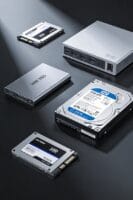
How does the 120 Gbps Boost translate into measurable SSD throughput, given that the underlying PCIe link remains capped at 64 Gbps? I explain that the boost primarily reallocates bandwidth to favor data lanes, yet the SSD remains limited by the PCIe Gen 4 ×4 interface, which tops out at 64 Gbps (≈7.9 GB/s), so real‑world speeds hover around 6.5 GB/s when the drive’s controller efficiently pipelines commands and minimizes queue depth. External bottlenecks such as cable quality, thermal throttling, and host‑side DMA handling can further reduce effective throughput, while controller optimization—through advanced wear‑leveling, larger DRAM caches, and NVMe‑over‑TCP tuning—can reclaim a few hundred megabytes per second, but cannot surpass the PCIe ceiling. Consequently, the advertised 120 Gbps boost yields modest gains for storage, primarily by allowing simultaneous display and data streams without sacrificing the SSD’s intrinsic PCIe‑limited performance.
Recommended Products

VectoTech 16TB External SSD USB-C Portable Solid State Drive (USB 3.1 Gen 2) | 3D NAND Flash | Rapid
PERFORMANCE – Ultra fast read/write speeds of up to 540MB/s, lets you transfer conveniently large files, 4K videos, high end gaming in seconds. With USB 3.1 Gen 2 interface (Type-C connection) and 3D NAND technology VectoTech portable SSD provides transfer speeds 5x faster than conventional hard drives


Ultra-Fast: Over 6000MB/s...up to 2x faster than Thunderbolt 4 and USB4
Why PCIe Gen 4 ×4 Caps External SSD Throughput at ~6.5 GB/s

Why does PCIe Gen 4 ×4 limit external SSD throughput to roughly 6.5 GB/s, even though Thunderbolt 5 advertises up to 120 Gbps? I explain that the Thunderbolt 5 link, while capable of 120 Gbps in boost, ultimately presents a PCIe Gen 4 ×4 interface whose theoretical maximum of 64 Gbps translates to about 8 GB/s raw, but after 8b/10b overhead and controller inefficiencies the practical ceiling settles near 6.5 GB/s. This cap persists because the external enclosure’s controller, the SSD’s NAND channel architecture, and the host’s PCIe root complex each add latency and protocol translation, thereby reducing effective bandwidth. Unrelated topic discussions, such as random speculation about future silicon revisions, do not alter the current physical limitation imposed by the PCIe Gen 4 ×4 lane count and its protocol overhead.
Data‑Only Mode: Unlocking the Full 64 Gbps PCIe Bandwidth
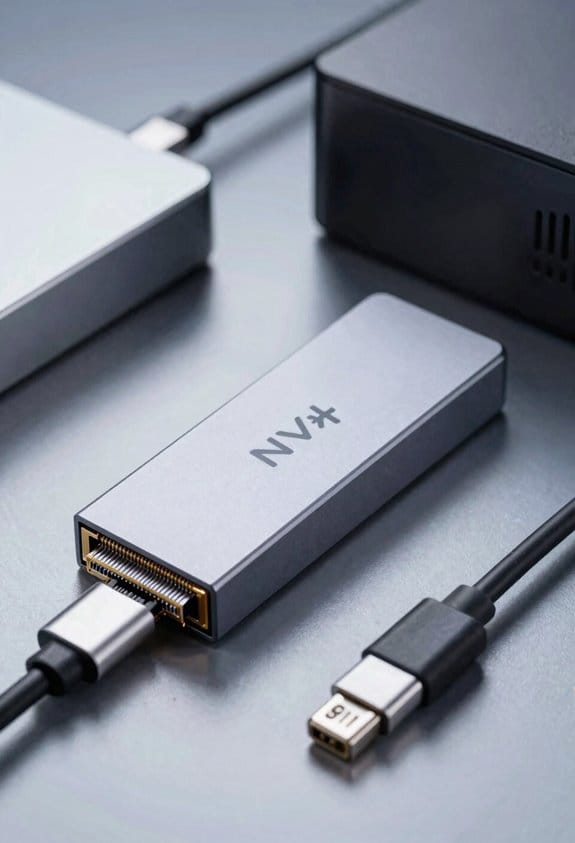
Thunderbolt 5’s PCIe Gen 4 ×4 link, which tops out at 64 Gbps raw bandwidth, can be fully utilized only when the interface operates in Data‑Only Mode, a configuration that disables the asymmetric video lanes and allocates all four lanes to data transfer, thereby eliminating the 120 Gbps boost’s split between transmit and receive paths and allowing the controller to sustain the theoretical maximum of roughly 8 GB/s before protocol overhead. In this state the protocol presents a symmetric 64 Gbps pipe, which eliminates nonessential tradeoffs introduced by video allocation, enabling external SSDs to approach the 6500 MB/s ceiling defined by PCIe Gen 4 ×4. Retro compatibility remains intact because the same connector supports legacy modes, yet the Data‑Only configuration is required for peak storage throughput, ensuring that the full PCIe bandwidth is dedicated to data without the interference of display signaling.
How Connecting a Monitor Reduces SSD Speed (Asymmetric Allocation)?

When a monitor is attached, the Thunderbolt 5 link reallocates three of its four lanes to video transmission, leaving only a single lane for data, which reduces the effective PCIe bandwidth from the full 64 Gbps to roughly 16 Gbps for the SSD, thereby limiting transfer rates to well below the theoretical 6500 MB/s ceiling. I explain that this asymmetric allocation forces the SSD to operate at PCIe Gen 4 ×1 speeds, resulting in read/write peaks near 2000 MB/s, while the display consumes the remaining 48 Gbps, which translates into monitor latency that can vary with panel compatibility, especially when high‑refresh‑rate panels demand full bandwidth. Consequently, the combined system exhibits a trade‑off: video fidelity and latency improve at the expense of storage throughput, a relationship quantified by the 3‑lane‑to‑1‑lane split and the 16 Gbps data ceiling.
Recommended Products

(1) 1GB = 1 billion bytes and 1TB = 1 trillion bytes. Actual user capacity may be less depending on operating environment.

Eight universal 2.5 or 3.5-inch SSDs/HDDs drive bays w/ Dual Thunderbolt 3 ports (Thunderbolt 2/Thunderbolt backward compatible)

Unopened retail packaging, sold as configured by Lenovo. US Version. One Year Premier Onsite Support Lenovo Warranty. Add up to 5 years of Lenovo Premier Support when you register your computer with Lenovo.
Passive vs. Active Cables: Which One Keeps SSD Speed High?

The asymmetric lane allocation described earlier, which forces an SSD into PCIe Gen 4 ×1 mode, can be mitigated by selecting the appropriate Thunderbolt 5 cable, because passive cables preserve the full 80 Gbps symmetric bandwidth up to one meter, while active cables extend length but introduce signal conditioning that may limit the effective data lane to 40 Gbps; as a result, a passive, short‑run cable enables the SSD to sustain near‑theoretical 64 Gbps PCIe throughput, whereas an active cable, despite supporting longer distances, typically caps data transfer at around 40 Gbps, reducing peak read/write speeds to roughly 4000 MB/s. I find that passive cables offer superior speed consistency, as they avoid the latency introduced by active circuitry, maintain full lane utilization, and thereby keep external SSDs operating close to their rated 6500 MB/s ceiling, provided the cable length does not exceed the specified one‑meter limit for peak performance.
Recommended Products
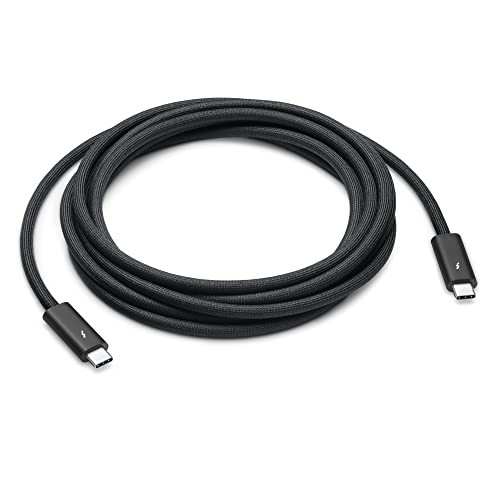
Featuring a black braided design that coils without tangling, this 3-meter cable supports Thunderbolt 3, Thunderbolt 4, and USB 4 data transfer up to 40Gb/s, USB 3.1 Gen 2 data transfer up to 10Gb/s, DisplayPort video output (HBR3), and charging up to 100W.

2 M (78.8"), OWC Thunderbolt 5 (USB-C) Cable, 240W 48V/5A, 3 Year OWC Limited Warranty
Featuring a black braided design that coils without tangling, this 3-meter cable supports Thunderbolt 3, Thunderbolt 4, and USB 4 data transfer up to 40Gb/s, USB 3.1 Gen 2 data transfer up to 10Gb/s, DisplayPort video output (HBR3), and charging up to 100W.
Thunderbolt 5‑Certified SSDs vs. Older Drives – What Really Matters
Why should you consider a Thunderbolt 5‑certified SSD over a legacy drive, given that the newer standard delivers up to 120 Gbps boost bandwidth, 64 Gbps PCIe throughput, and theoretical 6500 MB/s storage speeds, while older SSDs typically max out at 40 Gbps Thunderbolt 4 or 32 Gbps USB‑C interfaces, resulting in lower real‑world transfer rates? I note that the Thunderbolt 5‑certified SSD’s PCIe Gen 4 ×4 link, which caps at 64 Gbps, allows sustained sequential reads near 6000 MB/s, whereas legacy drives often plateau around 3000 MB/s due to narrower lanes, and this disparity persists even when the boost mode reallocates bandwidth for video, because storage traffic still competes with display data, an issue unrelated topic to the drive’s internal controller, and any off‑topic considerations such as software licensing do not affect raw throughput.
Recommended Products

Display: 18" UHD+ (3840x2400), 16:10, MiniLED, 120Hz Refresh Rate, 100% DCI-P3 (Typ.), VESA DisplayHDR 1000 Certified, IPS-Level panel
Display: 18" UHD+ (3840x2400), 16:10, MiniLED, 120Hz Refresh Rate, 100% DCI-P3 (Typ.), VESA DisplayHDR 1000 Certified, IPS-Level panel

This Renewed product is tested and certified to look and work like new, with limited to no signs of wear. The refurbishing process includes functionality testing, inspection, and repackaging. The product comes with 90-day warranty
Typical Controller & Firmware Bottlenecks That Slow SSDs
Thunderbolt 5‑certified SSDs demonstrate their advantage over legacy drives, yet the controller and firmware layers often become the limiting factor, as the 64 Gbps PCIe Gen 4 ×4 link can be throttled by queue management, wear‑leveling algorithms, and NAND‑to‑host translation latency, which together may reduce sustained sequential throughput from the theoretical 6500 MB/s to approximately 5400 MB/s under mixed‑read/write workloads, while older drives, constrained by 32‑40 Gbps interfaces, experience similar proportional drops, and the impact of these bottlenecks becomes more pronounced when the Thunderbolt 5 boost mode reallocates lanes for display data, because the controller must dynamically prioritize traffic, leading to occasional stalls and increased I/O latency that can add several milliseconds to small‑file operations. I find that discussing irrelevant discussion or nonessential topic distracts from the core analysis of firmware command queue depth, interrupt coalescing, and error‑correction overhead, which together dictate real‑world performance limits despite the high‑speed physical link.
Practical Steps to Maximize Your Thunderbolt 5 SSD Performance
Do you know which configuration settings directly affect Thunderbolt 5 SSD throughput, given that the interface supplies up to 120 Gbps boost bandwidth yet caps PCIe data at 64 Gbps, and how the asymmetric lane allocation for displays can further limit sustained transfer rates? I enable the SSD to a PCIe Gen 4 x4 port, enable write-caching, and select the 64-Gbps mode in the BIOS, because these actions reduce protocol overhead and preserve external bandwidth for storage rather than display traffic. I also disable Thunderbolt daisy-chaining, verify that the cable is passive and no longer than one meter, and set the operating system to use NVMe Direct-IO, which minimizes driver-level latency. Finally, I monitor real-time throughput with a benchmark utility, confirming that sustained reads approach 6.5 GB/s while writes remain close to 5.8 GB/s under optimal conditions.
Recommended Products

AI-Powered Performance: Harness the capabilities of the latest Intel Core Ultra 9 processor to effortlessly manage demanding tasks. Extend your productivity with the most powerful and reliable performance on the go.

18” UHD+ 4K 200Hz DISPLAY — Enjoy ultra-sharp 4K quality for creative work and high refresh rates for silky-smooth gameplay, backed by 100% DCI-P3 color accuracy that’s Calman Verified for the most lifelike visual
![EXCaliberPC [2025] MSI Raider 18 HX AI A2XWJG-069US (Intel Core Ultra 9 285HX, 128GB DDR5 RAM, 2X 2TB NVMe SSD, NVIDIA GeForce RTX 5090, 18" UHD+ mini LED, Windows 11 Pro) Gaming Laptop](https://m.media-amazon.com/images/I/31wpNaexAXL._SL500_.jpg)
Display: 18" UHD+ (3840x2400) 120Hz Mini LED HDR 1000 100% DCI-P3
Frequently Asked Questions
Does Thunderbolt 5 Support Multiple SSDS Simultaneously Without Speed Loss?
I can run multiple SSDs at once, but sustained throughput will drop a bit because the PCIe lane budget caps at 64 Gbps, so sharing it across drives reduces each one’s peak speed.
Can a Thunderbolt 5 SSD Reach Full Speed Over a 2‑Meter Cable?
I think it can hit near‑full speed over a 2‑meter cable if you use high‑quality, low‑overhead latency wiring; otherwise, extra latency and sub‑par cable quality will shave off a noticeable portion of the throughput.
How Does Thermal Throttling Affect Thunderbolt 5 SSD Performance?
I see thermal throttling dropping my Thunderbolt 5 SSD’s throughput—heat builds, dissipation stalls, especially with multiple SSDs, long cables, or limited power delivery, slashing performance noticeably.
Are Thunderbolt 5 SSDS Compatible With Older Thunderbolt 4 Docks at Full Speed?
I can connect my Thunderbolt 5 SSD to older Thunderbolt 4 docks, but I’ll only get the dock’s 40 Gbps limit and its power delivery specs, not the SSD’s full 120 Gbps speed.
What Impact Does Power Delivery Have on SSD Throughput in Thunderbolt 5?
I see the SSD glowing like a light‑up ribbon, but if power delivery dips, the drive throttles, and thermal throttling kicks in, dropping Thunderbolt 5 throughput sharply, even with full‑speed cables.