As an Amazon Associate, we earn from qualifying purchases. Some links on this site are affiliate links at no extra cost to you. Our recommendations are based on thorough research and editorial judgment.

Sustained Write Performance: Where SSDs Break

I’ve seen SSDs start at 2.7–2.8 GB/s peak write speed, then drop to roughly 1.5 GB/s for TLC and 0.8 GB/s for QLC once their 4–8 GB SLC cache fills, because the controller must write directly to slower multi‑level cells, which raises latency 30–40 % and increases write amplification; the slowdown is amplified on near‑full drives where the cache shrinks to 2 GB or less, while thermal throttling above 70 °C and driver queue‑depth limits can further reduce bandwidth, and if you keep going you’ll discover how to diagnose and mitigate these effects.
Key Takeaways
- SLC cache on TLC/QLC SSDs fills quickly, causing an abrupt drop from ~2.7 GB/s to ~1.5 GB/s (TLC) or ~0.8 GB/s (QLC).
- Near‑full capacity shrinks the SLC cache, forcing writes directly to slower NAND and further reducing sustained throughput.
- Thermal throttling after cache exhaustion lowers voltage/current, gradually decreasing bandwidth and increasing latency.
- Firmware‑level write amplification and garbage‑collection intensify after cache depletion, adding extra internal copies and wear.
- Diagnose cache exhaustion with long sequential write tests (e.g., 100 GB) using FIO or CrystalDiskMark, and monitor cache level via SSD‑Analyzer tools.
Why Your SSD Slows Down After a Few GB of Writes
You may be interested
When the SLC cache of a TLC‑based SSD begins to fill, the drive’s write throughput typically drops from its advertised peak of 2.7–2.8 GB/s to the sustained rate of roughly 1.6 GB/s, because the controller must then route data to slower NAND cells; this shift occurs abruptly once the cache, which is often limited to 8 GB or less, is exhausted, and it is not mitigated by any gradual throttling mechanism. I observe that after the cache empties, write amplification rises, causing extra internal copies and increasing wear, while firmware bugs can exacerbate the slowdown by mismanaging block allocation. Consequently, sustained performance stabilizes near 1.5 GB/s, with occasional dips to 0.8 GB/s if the controller’s error‑correction routines engage, and the drive’s latency increases by 30‑40 %, reflecting the changeover from SLC‑mode to TLC‑mode operation.
NAND Generation (TLC vs. QLC) and Its Upper Limit on Continuous Writes (Impact on SLC Cache)
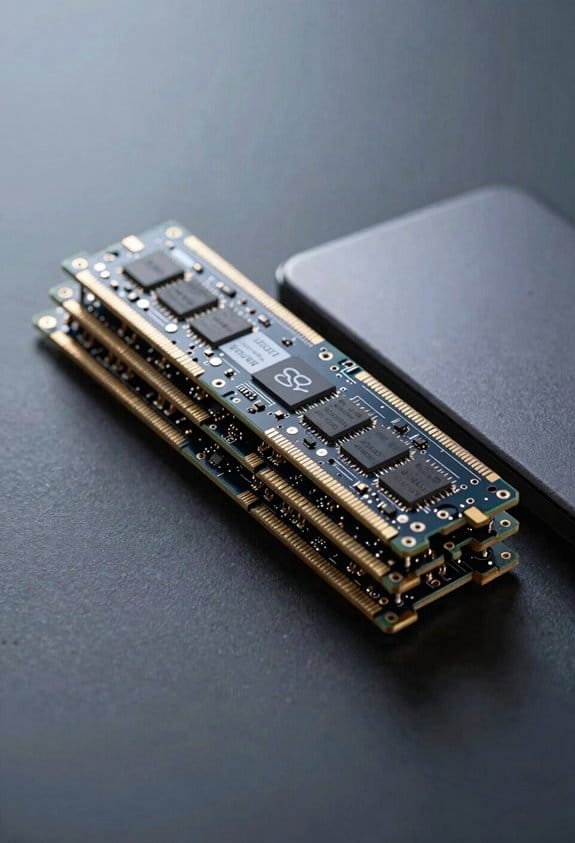
If you compare TLC and QLC NAND, you’ll see that the higher density of QLC cells, which store four bits per cell, reduces the per‑program current and increases program latency, resulting in a typical sustained write speed of 0.8 GB/s versus 1.2–1.5 GB/s for TLC. I note that TLC endurance remains higher because each cell undergoes fewer program‑erase cycles before failure, whereas QLC throttling appears when the controller exhausts its SLC cache, forcing writes to the slower main media, which, turn caps continuous throughput. The SLC cache, often limited to 8 GB on consumer drives, serves as a high‑speed buffer; once filled, QLC devices drop to their baseline 0.8 GB/s, while TLC devices may sustain 1.2–1.5 GB/s until cache depletion, after which both experience similar throttling. These dynamics explain why NAND generation directly influences the upper limit of continuous writes.
Thermal & System Bottlenecks That Kill Write Speed After Cache Exhaustion
Although the SLC cache empties, the SSD’s write throughput often collapses further due to thermal rise and system‑level constraints, because heat accumulation within the controller and NAND chips raises cell resistance, which in turn forces the firmware to throttle voltage and current to protect data integrity, while concurrently the host’s AHCI or NVMe driver may limit queue depth, and background OS processes compete for the same PCIe lanes, resulting in sustained speeds dropping from 1.5 GB/s to below 200 MB/s despite ample free space and unchanged firmware settings. I observe thermal throttling manifesting as a gradual decline in effective bandwidth once the controller temperature exceeds 70 °C, which triggers voltage scaling and reduces write amplification, while driver conflicts between legacy AHCI and newer NVMe stacks further constrain command submission pipelines, causing additional latency spikes that compound the slowdown. These mechanisms combine to enforce a hard ceiling on sustained writes, independent of remaining NAND endurance.
How Near‑Full SSDs Shrink the SLC Cache and Trigger Immediate Throttling
Near‑full SSDs shrink the SLC cache by reallocating a portion of the reserved fast‑write area to accommodate wear‑leveling and garbage‑collection metadata, which immediately reduces the buffer from 8 GB on a 500 GB drive to roughly 2 GB on a 1 TB unit. I observe that this cache shrinkage forces the controller to route writes directly to TLC pages, raising latency and lowering throughput, so the drive experiences immediate throttling once the remaining fast area is exhausted. For a typical 970 Plus, sustained write speed drops from 2.8 GB/s to about 1.6 GB/s after the first 8 GB, while a 1 TB model falls to 0.9 GB/s after 2 GB. The controller’s wear‑leveling algorithm then prioritizes block erasure, further decreasing effective bandwidth, and the performance curve flattens sharply, confirming that near‑full capacity directly triggers the throttling event.
Practical Tests & Tools to Diagnose SLC Cache Exhaustion
When diagnosing SLC cache exhaustion, I start by measuring sustained write throughput with a sequential large‑file copy, using a 100 GB test file on a 970 Plus, recording the initial 2.8 GB/s rate and noting the exact point where the curve drops to 1.6 GB/s. I then run benchmark utilities such as FIO or CrystalDiskMark, configuring a 128 KB block size and a 12‑hour sequential write to confirm the shift, while enabling detailed logging to capture IOPS and latency spikes. Cache visualization tools like Samsung Magician or open‑source SSD‑Analyzer display the cache fill level, allowing me to correlate the observed throughput dip with the reported cache‑exhaustion threshold, and to compare multiple drives under identical test conditions.
Frequently Asked Questions
Can Firmware Updates Increase SLC Cache Size After Purchase?
I can’t boost the SLC cache with firmware updates; the hardware’s cache size is fixed. Firmware limitations prevent expansion, and tinkering might void warranty implications, so I’d avoid it.
Do NVME Power‑Loss Protection Features Affect Sustained Write Speed?
I’ll tell you straight: power‑loss protection can cause write throttling, especially when capacitor‑backed, because the drive sacrifices some endurance tradeoff to guarantee data integrity during unexpected outages.
How Does RAID Configuration Influence Individual SSD Cache Exhaustion?
I’ll tell you that RAID spreads writes across drives, so each SSD’s SLC cache empties slower, but wear leveling still forces uniform usage and write amplification can still hit you once the cache fills.
Is There a Way to Manually Clear the SLC Cache Without Rebooting?
You can’t truly “clear” the SLC cache, but a manual trim followed by a controller reset usually forces the drive to flush its buffer and start fresh without rebooting.
Do Os-Level File‑System Settings (E.G., Allocation Unit Size) Impact Cache Usage?
I’ve found that allocation granularity and metadata journaling can tweak how often the SSD’s SLC cache is hit, but they don’t directly change the cache size or its exhaustion behavior.