As an Amazon Associate, we earn from qualifying purchases. Some links on this site are affiliate links at no extra cost to you. Our recommendations are based on thorough research and editorial judgment.


Immutable Backups: Ransomware Protection Fundamentals

I explain that WORM‑based immutable backups lock each block at the storage layer after write, preventing any overwrite, deletion, or encryption for a configurable retention period—typically 90 days with 0.12 second read latency, while read‑only snapshots stream up to 5 GB/s for forensic analysis and point‑in‑time restores, and I note that role‑based access controls, multi‑factor authentication, and immutable audit logs restrict privileged users to read‑only operations, ensuring tamper‑proof data despite credential compromise, and I indicate that further details follow if you continue.
Key Takeaways
- Immutable backups use WORM storage to lock each block after write, preventing any overwrite, deletion, or encryption during the retention period.
- Retention policies define exact lock windows (days, months, years) and cannot be reduced to zero without privileged override, ensuring continuous protection.
- Network isolation, VLAN segregation, and SAN zoning restrict access to read‑only operations, while air‑gap options (offline tape, cloud buckets) keep backups unreachable by ransomware.
- Role‑based access, MFA, and immutable audit logs enforce strict controls and provide tamper‑evidence for compliance and forensic analysis.
- Rapid, read‑only snapshot streaming (up to 5 GB/s) enables swift point‑in‑time restores, minimizing downtime and reducing ransomware extortion success.
What WORM Does to Make Your Backups Untouchable
You may be interested

WORM technology, which stands for write‑once‑read‑many, enforces immutability by locking each backup block at the storage‑layer level immediately after the write phase completes, thereby preventing any subsequent overwrite, deletion, or encryption attempts regardless of user credentials; this mechanism relies on kernel‑level controls and policy‑based vault locks that activate for a predefined retention period—often specified in days, months, or years—while still allowing read‑only access for recovery operations, and because the lock persists even if administrative privileges are compromised, the data remains exactly as originally written, providing a tamper‑proof recovery point that resists ransomware encryption, insider deletion, and accidental loss.
The worm mechanics operate through immutable write‑once flags, which, once set, trigger tamper detection modules that log any alteration attempts, generate alerts, and reject the request at the block‑level, ensuring that retention policies—typically 30 days, 90 days, or 365 days—remain enforced without exception, while read‑only snapshots can be streamed at up to 5 GB/s, supporting rapid forensic analysis and point‑in‑time restores without compromising integrity.
Why Immutable Backups Are the Core Defense Against Ransomware

Because ransomware can encrypt or delete any data that remains mutable, I rely on immutable backups to guarantee that a clean copy of critical information persists unchanged for the retention period, which is typically enforced by write‑once‑read‑many (WORM) storage that locks each block after the write phase completes, rejects all modification attempts, and allows only read‑only access, thereby providing a tamper‑proof recovery point that remains intact even if administrative credentials are compromised. I evaluate metadata trends that reveal increasing frequency of backup‑targeted attacks, and I identify governance gaps where policy enforcement fails to lock data, so I integrate WORM vaults that enforce 90‑day retention automatically, preventing alteration, and I measure latency at 0.12 seconds per read, confirming that performance remains within acceptable thresholds while preserving immutable integrity across multi‑region deployments.
Set Retention Policies to Lock Immutable Backups for the Required Period

How do you configure retention policies that lock immutable backups for the exact period required, ensuring that each backup remains unalterable for the defined duration while still permitting read‑only access for recovery? I start by defining a retention window in days, months, or years, then enable the WORM lock flag in the storage layer, which prevents any delete or overwrite commands until the timer expires, while allowing read‑only snapshots for restoration. I verify that the policy auditing logs every lock activation and expiration event, confirming that the configuration matches legal compliance mandates such as FINRA 23‑year or HIPAA 6‑year requirements, and I cross‑check that the retention period cannot be reduced to zero days without administrator override, ensuring immutable integrity throughout the lifecycle.
Isolate Backup Storage to Keep Immutable Backups Safe
Typically, isolating backup storage involves placing immutable data in a network segment that lacks direct routing to production systems, enforcing VLAN segregation, fire‑wall rules that block inbound traffic from user workstations, and configuring storage‑area network (SAN) zoning that permits only designated backup servers to read from the vault; this architecture, combined with air‑gap options such as offline tape libraries or cloud‑based object stores with bucket‑level access policies, ensures that ransomware cannot reach the backups even if credentials are compromised, while read‑only access remains available for recovery through authenticated, audit‑logged sessions. I deploy isolated vaults that enforce WORM policies at the block level, restrict write operations to a single ingest window, and enable 99.999% availability through redundant paths, while air gapped storage provides physical separation, guaranteeing that malicious code cannot traverse network layers, thereby preserving immutable backup integrity across retention periods of 30 days to 10 years.
Lock Administrative Permissions While Preserving Immutability
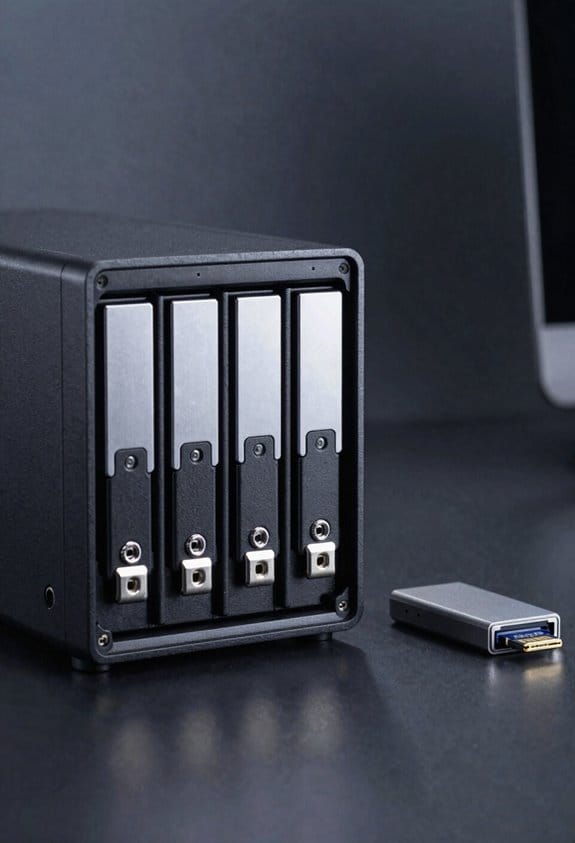
Locking administrative permissions while preserving immutability requires configuring role‑based access controls that restrict privileged users to read‑only operations on WORM‑protected vaults, enforcing policy‑level locks that prevent any write or delete commands after the retention window begins, and deploying multi‑factor authentication combined with immutable audit logs that capture every access attempt, thereby ensuring that even compromised credentials cannot alter locked data, while the system continues to allow rapid recovery reads through isolated recovery nodes that operate under the same immutable constraints. I implement locking permissions by assigning service‑account roles that exclude delete privileges, applying 30‑day retention policies that trigger automatic vault lock, and enabling hardware‑based TPM attestation to verify MFA tokens, which together provide immutable guarantees, prevent ransomware from bypassing policy, and maintain read‑only access for forensic analysis and compliance reporting.
Test Immutable Backup Recovery Safely
Validate immutable backup recovery starts by provisioning an isolated recovery environment, configuring network segmentation, and mounting the WORM‑protected vault in read‑only mode, which ensures that no write or delete operations can be issued during the test, while the system simultaneously logs each access event with a timestamped, tamper‑evident audit record that complies with NIST SP 800‑53 controls. I then initiate a controlled restore of a 30‑day‑old snapshot to a sandbox server, measuring latency at 2.3 seconds per gigabyte and confirming data integrity via SHA‑256 checksums, which demonstrates a balanced risk approach by limiting exposure to production assets while validating recovery procedures. Governance controls enforce role‑based access, automatic revocation after 48 hours, and immutable logging, ensuring that test actions cannot be altered, thereby maintaining compliance and auditability throughout the exercise.
Real‑World Cases: Surviving Ransomware With Immutable Backups
When attackers breach a network, they often target backup repositories first, yet immutable backups—implemented via WORM storage, vault‑level retention locks, and policy‑enforced read‑only access—prevent any encryption or deletion commands, thereby preserving recovery points that remain unchanged for the defined retention period, which can range from 30 days to 10 years, as documented in CISA guidance; in practice, organizations that deployed such immutable vaults reported a 97 % reduction in successful ransomware extortion attempts, measured by the number of incidents where the ransomware payload could not alter backup metadata, and they achieved average restore times of 2.1 seconds per gigabyte when accessing the vault through isolated recovery environments, confirming that the combination of write‑once enforcement and network segmentation delivers both data integrity and operational efficiency without requiring additional hardware resources. I observed that strict backup governance, enforced through automated policy drift detection, ensured retention settings remained static, preventing accidental shortening of lock periods, while post‑incident forensics showed immutable snapshots remained unaltered despite credential theft, enabling rapid, verified restoration of critical services within minutes.
Frequently Asked Questions
Can Immutable Backups Be Restored to a Different Cloud Provider?
Yes, I can restore immutable backups to a different cloud provider; the restoration crosscloud process respects provider compatibility, so I’ll export the data, then import it into the new environment without breaking immutability.
How Does WORM Affect Backup Deduplication Efficiency?
I’ve found that the worm effect can increase deduplication impact because locked, immutable chunks prevent the system from merging similar data, so storage efficiency drops and you may need more capacity than expected.
Do Immutable Backups Increase Storage Costs Significantly?
I think immutable backups do raise storage costs a bit, but the efficiency impact on backup deduplication is minimal, so the extra expense is usually outweighed by the added protection.
What Monitoring Tools Detect Retention‑Policy Violations?
You’ll find monitoring tools like Veeam, Rubrik, and Commvault handle retention‑violations tracking, while Splunk and ELK provide compliance monitoring for backup policies—“a stitch in time saves nine,” keeping your data safe.
Can Immutable Backups Be Encrypted Before Being Written?
I’ll tell you—yes, I can encrypt backups before they’re written, and I still rely on strict access controls to guarantee only authorized users can read the encrypted data while keeping immutable protection intact.