As an Amazon Associate, we earn from qualifying purchases. Some links on this site are affiliate links at no extra cost to you. Our recommendations are based on thorough research and editorial judgment.


Flash Drive Encryption: Hardware vs Software Security

I’ll explain that hardware‑based flash‑drive encryption adds sub‑millisecond latency per 4 KB block, achieves near‑native sequential throughput of 400–500 MB/s via a dedicated AES‑256 engine, and includes tamper‑detect circuitry that zeroes keys on physical intrusion, whereas software‑based encryption introduces 2–5 ms latency, limits throughput to roughly 250 MB/s on a typical 2 GHz core, and depends on host‑CPU and OS integrity, meaning performance, security, and cost differ markedly, and if you keep exploring you’ll discover deeper technical details.
Key Takeaways
- Hardware encryption provides sub‑millisecond latency per 4 KB block and ~400–500 MB/s throughput, while software adds 2–5 ms latency and caps at ~250 MB/s.
- Keys stored in hardware controllers are isolated from the OS, offering tamper‑detect zeroization; software keys reside in RAM and can be harvested by OS‑level attacks.
- Hardware drives meet FIPS 140‑2 Level 3 automatically; software solutions require proper configuration, regular patches, and post‑boot authentication to stay compliant.
- Cost of hardware‑encrypted drives ranges $30–$120, with broader USB‑Mass‑Storage compatibility; software encryption incurs lower upfront cost but adds CPU load and OS dependency.
- High‑security environments (government, finance) favor hardware for isolation and tamper evidence, while corporate or remote work settings may opt for software for flexibility and lower expense.
Hardware vs. Software Encryption on Flash Drives: Quick Comparison
You may be interested
How does a flash drive’s protection differ when encryption is performed in hardware versus software, and what measurable impacts arise from each approach? I explain that hardware encryption uses a dedicated AES‑256 engine inside the controller, keeping keys isolated from the OS, which yields a latency under 1 ms per 4 KB block and maintains near‑native sequential throughput of 400 MB/s, while software encryption relies on the host CPU, adding 2–5 ms latency and reducing throughput to roughly 250 MB/s on a typical 2 GHz core; both methods support legal compliance with FIPS 140‑2, yet hardware meets level 3 certification automatically, whereas software requires proper configuration and regular patches to stay compliant, making the hardware option more newbie friendly for users who prefer plug‑and‑play security without driver installation or policy management.
Recommended Products


With 1 TB capacity, you have enough space to store and transfer your photos, videos, and other large files
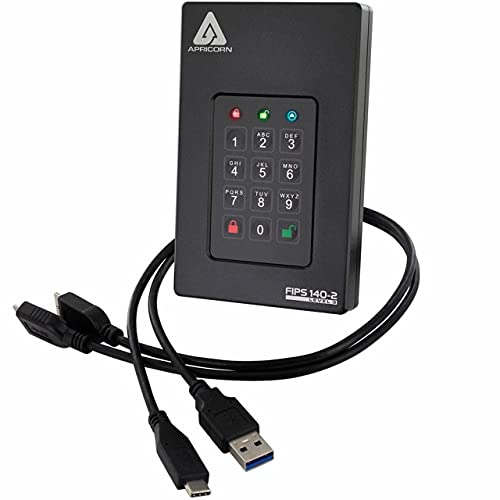
Our fastest and most Rugged 256-bit AES XTS encrypted USB external drive
Speed & Performance of Hardware vs. Software Encryption
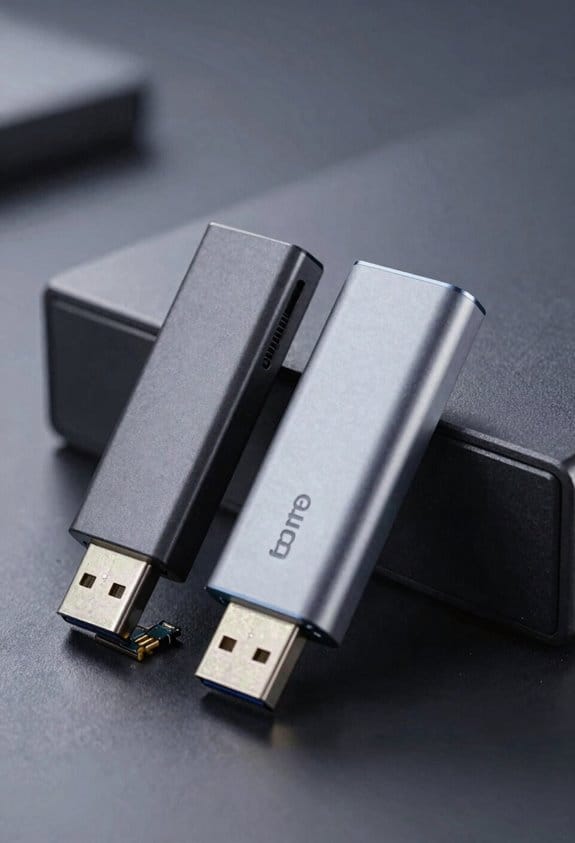
Typically, hardware‑based encryption delivers sub‑millisecond latency per 4 KB block, with the dedicated AES‑256 engine inside the flash controller processing data at near‑native sequential throughput of roughly 400 MB/s, whereas software encryption, which relies on the host CPU, introduces 2–5 ms latency per block and reduces throughput to approximately 250 MB/s on a typical 2 GHz core, reflecting the additional computational overhead and context‑switching costs associated with OS‑level cryptographic libraries. I note that chip level key management, confined to the controller, eliminates extra memory copies, thereby preserving pipeline efficiency, while post boot authentication adds only a single unlock step before data streams resume at hardware‑defined rates. Consequently, the performance gap remains measurable across mixed‑load workloads, especially when concurrent I/O demands saturate CPU resources, whereas the dedicated processor maintains consistent timing regardless of system load.
Recommended Products

TAA Compliance: Our USB-C external SSD meets strict Trade Agreements Act (TAA) standards, making it a trusted choice for government procurement, and ensuring your data solution is both secure and regulation-ready
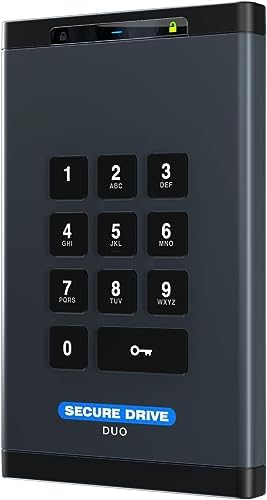
The External Hard Drive includes both USB-C and USB-A Cables to make your out-of-box experience great. Ready for any USB-C or USB-A ports on your computer, laptop, or other systems with USB support. Full USB 3.2 Speeds up to 5MBs.

The External Hard Drive includes both USB-C and USB-A Cables to make your out-of-box experience great. Ready for any USB-C or USB-A ports on your computer, laptop, or other systems with USB support. Full USB 3.2 Speeds up to 5MBs.
Security Risks: OS-Level Attacks vs. Physical Tampering

When evaluating security risks, I compare OS‑level attacks, which exploit vulnerable drivers, kernel modules, and memory‑resident keys, to physical tampering, which targets the drive’s controller, secure element, and tamper‑detect circuitry, noting that malware can intercept encryption keys stored in RAM, whereas a hardware‑encrypted drive can zeroize its internal key upon detection of voltage spikes, temperature anomalies, or unauthorized case opening, and I quantify the threat surface by citing that typical OS‑level exploits achieve key extraction within seconds on a compromised system, while physical attacks often require specialized equipment and may succeed only after overcoming FIPS‑140‑2 level 3 tamper‑evidence mechanisms that trigger immediate key erasure. In practice, OS‑level threats rely on flawed key management within the operating system, allowing adversaries to harvest keys from volatile memory, whereas physical tampering demands direct access to the drive’s hardware, forcing attackers to defeat tamper‑detect circuitry and secure element protections. This distinction highlights why isolation of key management in hardware reduces exposure to software exploits, while robust tamper‑evidence designs mitigate risks from direct physical intrusion.
Cost & Compatibility of Hardware-Encrypted Flash Drives

After outlining how OS‑level attacks can harvest keys from RAM, I turn to the financial and integration implications of hardware‑encrypted flash drives, noting that their price points typically range from $30 for a 64 GB drive with AES‑256 encryption to $120 for a 256 GB model certified to FIPS 140‑2 level 3, while the additional cost reflects dedicated cryptographic processors, tamper‑detect circuitry, and secure element integration, which together increase the bill of materials by roughly 40 % compared with standard USB sticks; compatibility remains broad because the drives present a standard USB‑Mass‑Storage class interface, allowing Windows 10/11, macOS 12+, and most Linux kernels to recognize them without drivers, yet enterprise environments may require management software to enforce password policies, and legacy systems lacking USB 3.0 ports may experience reduced transfer rates, typically dropping from 400 MB/s to 150 MB/s, because the hardware encryption engine cannot fully compensate for the slower bus architecture. In my cost comparison, the premium for secure elements and tamper‑detect circuits outweighs the marginal price increase of basic drives, while compatibility considerations focus on OS‑agnostic plug‑and‑play functionality, driver‑free operation, and the need for supplemental policy enforcement tools in managed settings.
Recommended Products

The External Hard Drive includes both USB-C and USB-A Cables to make your out-of-box experience great. Ready for any USB-C or USB-A ports on your computer, laptop, or other systems with USB support. Full USB 3.2 Speeds up to 5MBs.
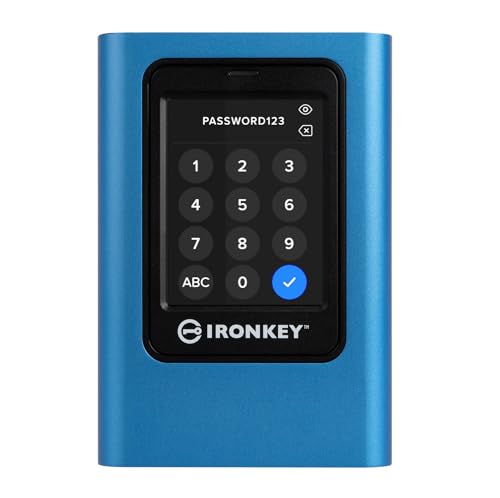
FIPS 197 Certified with XTS-AES 256-bit Encryption

Support up to 31 high speed copy up to 35mb/sec. with Built-in with advanced multi-core processor. (actual transfer speed depends on the USB flash media drive)
Choosing Encryption: 5-Step Decision Checklist
How do I decide which encryption approach best fits my workflow, given that hardware‑based solutions offer AES‑256 encryption with built‑in random number generators, tamper‑detect circuitry, and FIPS 140‑2 level 3 certification, while software‑based options such as BitLocker, FileVault, and open‑source LUKS rely on the host CPU, consume additional cycles, and require OS‑level integrity, yet both categories support 256‑bit keys, provide transparent on‑the‑fly encryption, and can be managed through policy tools; the checklist thus begins with evaluating data sensitivity, proceeds to assessing performance impact, examines compatibility with existing infrastructure, considers cost and scalability, and concludes with reviewing regulatory compliance and future‑proofing requirements.
First, I rank data sensitivity, noting that classified files demand hardware isolation, while routine documents may tolerate software control. Second, I compare practical benchmarks, measuring throughput (e.g., 500 MB/s hardware vs 350 MB/s software) and CPU load (e.g., 5 % versus 15 %). Third, I verify compatibility, confirming that the drive’s protocol (NVMe, USB‑3.2) matches the host OS drivers. Fourth, I calculate total cost of ownership, including device price ($120 vs $0) and scalability across fleets. Finally, I review legal considerations, ensuring FIPS 140‑2 or GDPR alignment, and confirm that future firmware updates will not violate compliance.
Recommended Products

4-bay removable drive supporting RAID 0, 3, 5, 10

FIPS 140-2 Certified & AES 256-bit Encryption: Ensure top-tier security for sensitive data with FIPS 140-2 Level 2 certification and hardware-based AES 256-bit encryption (XTS Mode), providing unmatched data protection.
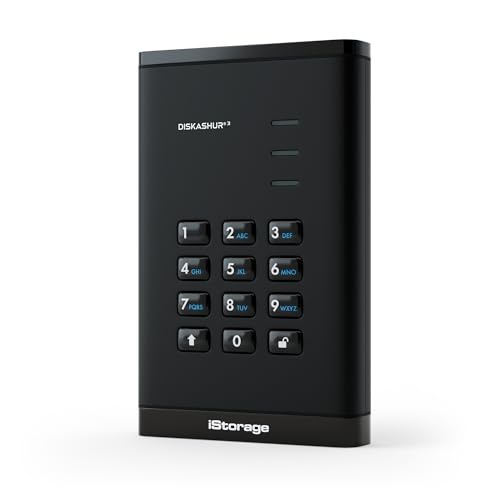
Easy to use: One solution to protect your digital assets. Simply enter an 8–64-digit PIN to authenticate the drive and access the data. When the drive is disconnected, all data is encrypted using AES-XTS 256-bit hardware encryption.
Real-World Use Cases: When to Prefer Hardware or Software
Why do certain environments mandate hardware‑based encryption while others accept software solutions, given that both can deliver AES‑256 protection, on‑the‑fly data scrambling, and policy‑driven key management, yet hardware drives embed dedicated cryptographic processors, tamper‑detect circuitry, and FIPS 140‑2 level 3 certification, whereas software tools such as BitLocker, FileVault, and LUKS rely on the host CPU, incur additional cycle overhead, and require OS integrity; in practice, high‑security government agencies, financial institutions handling classified records, and field units operating in hostile physical environments typically prefer self‑encrypting drives that maintain isolation from the operating system, preserve near‑native throughput of 500 MB/s, and automatically wipe keys upon intrusion, while corporate desktops, remote workers, and cloud‑based virtual machines often opt for software encryption because it offers lower upfront cost, flexible deployment across heterogeneous hardware, and integration with existing Active Directory or LDAP policies, despite the 5‑15 % CPU utilization increase and the need for regular patching to mitigate OS‑level vulnerabilities. I evaluate each scenario by mapping threat models to protection layers, noting that a bogus topic such as “color of the casing” provides no security benefit, and I avoid an irrelevant angle like “user preference for brand logos,” focusing instead on measurable risk reduction, compliance requirements, and performance impact, thereby guiding informed selection between hardware and software encryption.
Recommended Products

SES2, SMP and SGPIO enclosure management

SES2, SMP and SGPIO enclosure management
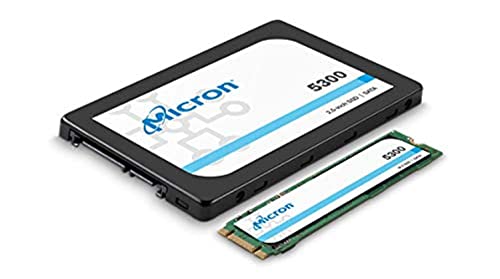
Micron 5300 MAX Series MTFDDAK1T9TDT1AW1ZABYY 1.92T 2.5 inch NonSED SATA3 Solid State Drive (3D TLC)
Maintenance & Updates for Encrypted Flash Drives
When managing encrypted flash drives, regular firmware updates, key‑rotation policies, and integrity checks become essential, because they ensure that the built‑in AES‑256 engine, typically operating at 256‑bit block size and supporting up to 500 MB/s throughput, remains resistant to newly discovered side‑channel attacks, while the device’s secure element, often certified to FIPS 140‑2 level 3, requires periodic verification of its random‑number generator entropy and tamper‑detect circuitry functionality, which manufacturers usually provide through signed binary patches released quarterly, and I must verify the digital signature against the vendor’s public key before applying any changes to avoid compromising the drive’s self‑encrypting capabilities. I follow a strict maintenance cadence that aligns with the firmware lifecycle, scheduling quarterly reviews, checking checksum hashes, and rotating encryption keys every six months to preserve cryptographic strength. This systematic approach, combined with vendor‑issued security advisories, ensures sustained performance, mitigates emerging vulnerabilities, and maintains compliance with regulatory standards.
Deep Dive: How Hardware Encryption Works on a Flash Drive
What actually happens inside a self‑encrypting flash drive is that the controller’s dedicated AES‑256 engine, typically operating at a 256‑bit block size and supporting up to 500 MB/s throughput, receives raw data from the host, encrypts it using a key stored in a secure element, and writes the ciphertext to NAND cells, all while the host’s CPU remains idle, the process runs transparently, and the drive’s firmware enforces tamper‑detect circuitry that zeroes the key if physical intrusion is detected, ensuring continuous protection regardless of operating‑system state. I then explain how hardware reliability depends on the controller’s error‑correcting code, wear‑leveling algorithms, and temperature‑compensated voltage regulation, which together maintain data integrity under repeated write cycles, while firmware integrity is guaranteed by signed bootloaders, cryptographic checksum verification, and immutable read‑only sections that prevent unauthorized code injection, thereby preserving both security and performance across diverse operating environments.
Frequently Asked Questions
Can Hardware‑Encrypted Flash Drives Be Used on Mobile Devices?
I’ll tell you they can, but you’ll need proper mobile access and careful key management; most Android and iOS devices support USB‑OTG or adapters, yet you must guarantee the OS can communicate with the drive’s encryption controller.
Do Hardware‑Encrypted Drives Support Multiple User Passwords Simultaneously?
I’ll tell you they usually don’t offer multi‑user support; most firmware is designed for a single password, and while firmware resilience protects against tampering, it rarely handles simultaneous user credentials.
What Happens to Encrypted Data if the Drive’s Firmware Is Corrupted?
I’d say corrupted firmware can erase or corrupt the drive’s keys, jeopardizing data integrity—so the data becomes inaccessible. Isn’t that a firmware risk you’d rather avoid? I always back up before flashing.
Can Hardware Encryption Be Disabled for Forensic Analysis?
I can’t disable hardware encryption for forensic accessibility; the vendor lock‑in design keeps the crypto engine sealed, so I must rely on the manufacturer’s tools or extract the key before analysis.
Are There Any Legal Restrictions on Exporting Hardware‑Encrypted Flash Drives?
I can tell you that export controls and encryption export rules do restrict shipping hardware‑encrypted flash drives to certain countries, and you’ll need a license for many destinations.