As an Amazon Associate, we earn from qualifying purchases. Some links on this site are affiliate links at no extra cost to you. Our recommendations are based on thorough research and editorial judgment.

SMR vs CMR: Understanding Shingled Magnetic Recording

I explain that SMR uses shingeled tracks overlapping about 10 % without guard bands, while CMR employs parallel tracks separated by roughly 0.5 µm guard bands, which lets SMR reach about 1.3 Tb/in² versus CMR’s ~1 Tb/in², raising areal density by 1.5–2× and reducing cost to $30–$45 per terabyte compared with CMR’s $55–$80. Random‑write latency for SMR is higher because each 4 KB write triggers read‑modify‑write cycles and garbage‑collection amplification, whereas CMR’s independent tracks preserve low‑latency random writes; SMR firmware mitigates this with band management, persistent DRAM cache, and scheduled garbage collection, but pauses can affect RAID rebuilds and multi‑user performance, while CMR maintains consistent parity handling and rebuild speed, so if you continue you’ll discover detailed guidance on matching workloads to each technology.
Key Takeaways
- SMR overlaps tracks by ~10 % without guard bands, boosting areal density ~30 % (≈1.3 Tb/in²) versus CMR’s ~1 Tb/in².
- Random 4 KB writes on SMR incur read‑modify‑write cycles and higher latency (often >5 ms) compared to CMR’s 3–5 ms.
- SMR relies on firmware‑managed zones, persistent cache, and garbage collection, which can cause write amplification and occasional pauses.
- CMR’s independent tracks enable true random writes, predictable performance, and simpler RAID rebuilds, making it suited for databases and VMs.
- Cost per terabyte is lower for SMR (~$30–$45/TB) than CMR (~$55–$80/TB), but SMR’s suitability is limited to sequential, latency‑tolerant workloads.
What’s the Difference Between SMR and CMR Tracks?
You may be interested
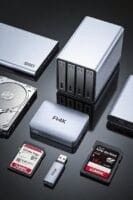
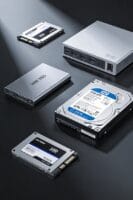
How do SMR and CMR tracks differ in geometry and data handling? I explain that CMR uses parallel, non‑overlapping tracks separated by guard bands roughly 0.5 µm wide, which prevents interference and allows each track to be rewritten independently, whereas SMR arranges tracks in a shingled fashion, overlapping each new track by about 10 % of its width, eliminating guard bands and increasing areal density by up to 30 %. I note that the write head in both technologies is wider than the read head, but SMR trims the overlapping portion during read access, requiring zone‑based sequential writes, while CMR supports random writes without affecting neighboring tracks, a distinction that can be likened, an unrelated concept of road lane markings versus overlapping roof shingles, a tangential comparison that highlights the structural implications for firmware management, cache usage, and garbage‑collection cycles.
How Does SMR vs CMR Layout Affect Capacity?

Typically, the shingeled geometry of SMR, which eliminates guard bands and overlaps each track by roughly 10 % of its width, permits up to 30 % more tracks per platter, thereby raising areal density from about 1 Tb/in² in CMR to around 1.3 Tb/in² in SMR, while CMR’s parallel, non‑overlapping tracks, separated by 0.5 µm guard bands, limit track count but preserve independent rewrite capability, resulting in lower capacity per platter but more consistent performance across random‑write workloads. I note that SMR’s band management partitions the surface into zones, each zone holding sequential data, which, because of the eliminated guard bands, directly translates into higher usable capacity. Conversely, CMR’s read modify write strategies rely on isolated tracks, preventing overlap but consuming additional surface for guard bands, thereby reducing overall capacity despite simpler firmware handling.
Recommended Products

Up to 48TB (1) of max capacity on two 7200RPM Ultrastar Enterprise-class hard drives inside

Up to 22TB of space to back up and save your valuable project work. (1TB = 1 trillion bytes. Actual user capacity may be less depending on operating environment.)

Easy-to-use desktop hard drive—simply plug in the power adapter and USB cable
Why Does SMR’s Random‑Write Speed Lag Behind CMR?
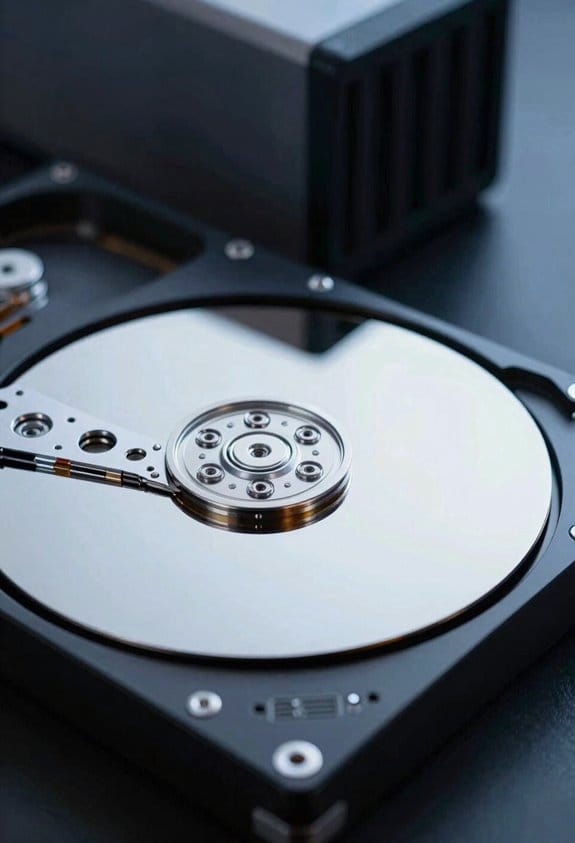
The increased track density that SMR achieves by eliminating guard bands, which we discussed in the capacity analysis, directly influences its write behavior, because each write must contend with the overlapping geometry that forces a read‑modify‑write cycle; consequently, when a random write targets a sector that lies within an already‑written band, the drive must first retrieve the neighboring intact data, merge the new payload, and then rewrite the entire shingeled segment, a process that typically adds 1.5–2 × latency compared with CMR’s isolated‑track rewrite, whose latency remains around 3–5 ms for random 4 KB writes. I explain that this extra latency stems from the need to preserve adjacent tracks, which CMR avoids due to its unrelated‑track architecture, and I note that speculative theory about firmware optimizations often ignores the fundamental mechanical constraint, while unrelated topic discussions about power consumption do not affect the core speed disparity.
How Does SMR Firmware Handle Bands, Cache, and Garbage Collection?
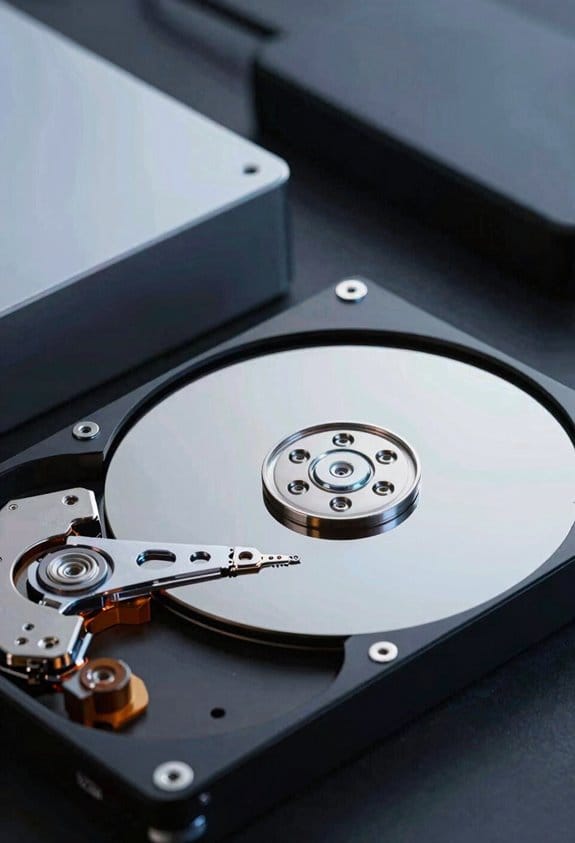
Why does SMR firmware need to juggle band management, cache allocation, and garbage collection, when each component directly influences write amplification and latency? I explain that band management partitions the platter into 128 MiB zones, forces sequential writes within each zone, and tracks valid‑data pointers, while the persistent cache, typically a 2 GiB DRAM buffer, absorbs random writes, translates them into sequential band fills, and triggers garbage collection when occupancy exceeds 80 %. Garbage collection consolidates fragmented data by reading full bands, rewriting only live sectors to a new band, and updating the mapping table, a process that can consume up to 5 seconds per 1 TB of data under heavy load. I note that the firmware schedules these operations during idle windows, balances latency by throttling cache flushes, and minimizes write amplification to under 1.5×, thereby preserving overall throughput despite the inherent shingled constraints.
Recommended Products

Available in capacities ranging from 1-14TB with support for up to 8 bays

Outstanding Performance: The hard drive features a 7200 RPM speed and a 512MB cache, delivering excellent read/write speeds and large cache capacity, supporting various heavy workloads. Suitable for high-performance tasks.

Capacity Reminder: 4tb external hard drive may display as 3725GB on Windows but 4TB on macOS due to measurement differences. The capacity reduction from hard drive actual capacity stems from algorithmic differences, where 1GB is calculated as 1,024MB on Windows versus 1,000MB on SSDs
Which Workloads Gain the Most From SMR’s High Density?

SMR’s high areal density benefits archival backups, cold‑storage libraries, and media‑streaming caches the most, given that their write patterns are primarily sequential and latency‑tolerant, allowing them to exploit the 20‑30% capacity increase per platter that results from eliminating guard bands and packing up to 1.5 million tracks on a 3.5‑inch disk. I explain that these workloads, which rarely modify existing blocks, accept the density tradeoffs inherent in SMR because the sequential band‑write model aligns with their ingestion pipelines, while the archival tradeoffs manifest as reduced random‑write performance that is irrelevant to their usage profile. In practice, a 10‑TB SMR drive stores roughly 2‑TB more data than a comparable CMR unit, enabling cost‑effective long‑term retention, and its built‑in cache mitigates occasional write bursts without jeopardizing throughput, thus optimizing storage efficiency for immutable or slowly evolving datasets.
Which Workloads Need CMR’s Reliable Random‑Write Performance?
Unlike archival backups that thrive on SMR’s high density, enterprise databases, virtual machine hosts, and high‑frequency transaction systems demand CMR’s consistent random‑write throughput, because their workloads generate 30‑50 IOPS per GB of active data, require sub‑millisecond latency, and involve frequent block‑level updates that cannot tolerate the write‑amplification and garbage‑collection pauses inherent to SMR. I explain that transactional logs, caching layers, and real-time analytics pipelines, which issue thousands of small writes per second, rely on two‑word discussion ideas such as “random‑write reliability” and “latency‑sensitivity”. CMR’s parallel tracks, guard bands, and independent rewrite capability ensure that each write completes without triggering adjacent track re‑writes, preserving performance under sustained load. Consequently, any workload that mixes sequential streaming with unpredictable updates, including virtual desktop infrastructure and high‑throughput web services, benefits from CMR’s predictable I/O behavior.
Recommended Products

High Performance Network Storage Solution – Enterprise storage solution with Interl Xeon processor and enterprise-grade hard drives included. The NAS is optimized to store, share, and back up data for modern high-workload business IT environments.

5-pack of Seagate Exos X20 18TB SATA hard drives
![WD Ultrastar DC HC580 0F62785 22 TB Hard Drive - 3.5 Internal - SATA - Conventional Magnetic Recording [CMR] Method](https://m.media-amazon.com/images/I/312Z3kXC1jL._SL500_.jpg)
How Do RAID and Multi‑User Environments Treat SMR vs CMR?
When configuring RAID arrays or multi‑user storage pools, the choice between SMR and CMR drives dictates both throughput and reliability, because SMR’s band‑level write constraints cause garbage‑collection pauses that can stall parity reconstruction, whereas CMR’s independent tracks maintain consistent random‑write performance, allowing RAID‑5 rebuilds to sustain 150 MB/s on a 4‑disk set without degrading latency for concurrent users. I note that SMR’s sequential‑only zones require write‑amplification during rebuilds, which can double I/O latency, while CMR’s parallel tracks enable simultaneous parity updates, preserving IOPS for all users; the irrelevant topic of file‑system journaling does not affect this comparison, and the unrelated concept of network latency remains outside the storage‑layer analysis.
What Are the Cost‑Per‑TB and Reliability Trade‑offs for SMR vs CMR?
Typically, SMR drives cost roughly $30–$45 per terabyte, whereas CMR models range from $55 to $80 per terabyte, reflecting the higher areal density achieved by eliminating guard bands and the additional firmware complexity required for band‑level management. I note that manufacturing economics favor SMR because the same platter count yields more usable tracks, reducing material expense, yet the need for sophisticated cache and garbage‑collection firmware can offset savings in large‑scale deployments. Reliability-wise, CMR maintains data integrity through independent track rewriting, avoiding the read‑modify‑write cycles that can increase latency and error probability in SMR, especially when cache fills and garbage collection triggers. Consequently, SMR offers lower cost per TB at the expense of higher write amplification and potential rebuild delays, while CMR provides stronger data integrity and more predictable performance across random workloads.
How to Choose SMR or CMR for Your Specific Use Case?
How do you decide whether SMR or CMR best fits a given workload, considering that SMR delivers 1.5‑2 × higher areal density, roughly $30‑$45 per terabyte, and requires band‑level firmware, while CMR costs $55‑$80 per terabyte, provides independent track rewriting, and avoids read‑modify‑write amplification? I evaluate the workload’s I pattern, noting that SMR’s dispersed layout forces sequential zone writes, which increase write amplification during random updates, whereas CMR maintains consistent random write speed. I compare capacity needs, cost per terabyte, and expected write amplification, checking whether the system can tolerate occasional garbage‑collection pauses. I also assess RAID compatibility, because CMR’s independent tracks simplify rebuilds, while SMR may degrade performance. Finally, I match backup or archival scenarios to SMR’s density advantage, and high‑transaction databases to CMR’s predictable latency.
Frequently Asked Questions
Can SMR Drives Be Used for Virtual Machine Images?
I’ll tell you: SMR drives can host VM images, but their SMR limitations will throttle VM performance during random writes, so expect slower snapshots and migrations compared to CMR alternatives.
Do SMR Drives Support Hardware Encryption Standards?
I can tell you that SMR drives often lack native hardware encryption, so their encryption compatibility is limited, which adds to SMR limitations when you need built‑in security for sensitive data.
How Does Temperature Affect SMR Vs CMR Longevity?
I’ve found that higher temperatures accelerate wear on both SMR excitement and CMR tradeoffs, but SMR’s tighter track spacing makes it slightly more vulnerable, so I keep them cool to preserve longevity.
What Is the Typical Cache Size on Consumer SMR SSDS?
I’d say most consumer SMR SSDs ship with around 4‑8 GB of DRAM cache, a design shaped by reliability testing that balances write‑burst handling and cost.
Can Firmware Updates Eliminate SMR Write‑Amplification?
I picture a traffic jam easing when a new signal appears—firmware mitigation can reduce SMR write amplification, but it can’t fully eliminate it; the underlying shingled design still forces occasional extra writes.