As an Amazon Associate, we earn from qualifying purchases. Some links on this site are affiliate links at no extra cost to you. Our recommendations are based on thorough research and editorial judgment.


3-2-1-1-0 Rule: Modern Backup Strategy Explained

I define the 3‑2‑2‑1‑0 model as three identical snapshots stored on two distinct media types, one copy replicated off‑site, and an immutable air‑gapped offline copy locked for at least 30 days; I require nightly SHA‑256 checksum verification, automated alerts for hash drift or latency variance, and governance logs documenting AES‑256 encryption, retention schedules, and WORM policies; I compare SSD arrays (3 GB/s), HDD RAID‑5 (250 MB/s), and LTO‑9 tape (400 MB/s) to balance wear, MTBF, and ransomware resilience, and I note that off‑site cloud replication uses geo‑redundant storage with 99.999999999 % durability; continuing will reveal deeper implementation details.
Key Takeaways
- The 3‑2‑2‑1‑0 model expands classic 3‑2‑1 by adding a second, media type and an immutable, air‑gapped offline copy.
- It requires three identical data copies: two on distinct media (e.g., SSD and LTO‑9 tape) and one off‑site in a geo‑redundant cloud or colocation site.
- An immutable offline copy provides WORM protection, ensuring zero‑write access and safeguarding against ransomware and tampering.
- Nightly checksum verification with SHA‑256 and automated alerts enforce a zero‑error baseline, detecting integrity issues below a 0.001 % failure threshold.
- Governance mandates documented verification logs, retention policies, quarterly full‑restore drills, and strict access controls to meet compliance standards.
Define the 3‑2‑2‑1‑0 Backup Model
You may be interested

When I define the 3‑2‑2‑1‑0 backup model, I first note that it expands the classic 3‑2‑1 rule by adding a second media type and an immutable offline copy, while also specifying a zero‑error verification goal; this framework requires maintaining three copies of data, storing two of those copies on distinct media, keeping one copy offsite, preserving an immutable offline version, and continuously validating that no backup errors occur, thereby addressing redundancy, media diversity, geographic dispersion, ransomware resilience, and verification rigor in a single, cohesive strategy. I then explain that data governance policies mandate the immutable media to be air‑gapped, that regulatory compliance standards such as ISO 27001 and NIST 800‑53 require documented verification logs, and that the zero‑error goal is achieved through daily checksum validation, weekly restore tests, and automated alerting, ensuring each copy remains identical to the production snapshot and that any deviation triggers immediate remediation.
Why This Strategy Beats Traditional 3‑2‑1
Why does the 3‑2‑2‑1‑0 model outperform the classic 3‑2‑1 rule, given that it adds a second media type, an immutable offline copy, and a zero‑error verification target, thereby increasing redundancy, media diversity, and ransomware resilience while maintaining comparable cost and operational complexity? I explain that the extra media type, typically tape, expands the risk‑profile matrix, allowing parallel recovery of 1 TB datasets within 30 minutes on disk and 2 hours on LTO‑8 tape, while the immutable offline copy guarantees a write‑once, read‑many state that prevents ransomware alteration, and the zero‑error verification loop, which runs nightly, detects checksum failures below 0.001 % threshold, ensuring data governance policies are enforceable across all copies. Tape management tools, integrated with policy‑driven retention, automate rotation, index, and audit, further reducing administrative overhead and aligning with regulatory compliance without increasing total cost of ownership.
Choose Two Different Media for Redundancy
The 3‑2‑2‑1‑0 framework expands on the classic rule by requiring two distinct media types, which means I must evaluate both disk‑based storage and magnetic tape regarding capacity, throughput, and failure modes; I compare a 12 TB SSD array delivering 3 GB/s sequential reads, 1 TB HDD RAID‑5 offering 250 MB/s, and an LTO‑9 tape with 18 TB native capacity and 400 MB/s sustained write speed, noting that SSDs excel in latency, HDDs provide cost‑effective bulk storage, while tape ensures offline isolation. In this two word discussion ideas, redundancy planning, I assess failure modes, noting SSD wear‑leveling limits, HDD mechanical wear, and tape magnetic degradation, and I calculate mean‑time‑between‑failures (MTBF) values—SSD 2 M hours, HDD 1 M hours, tape 30 M hours—to determine optimal mix for a balanced risk profile, ensuring data integrity across diverse failure scenarios.
Recommended Products

First Thunderbolt-Certified THUNDERBOLT 4 Storage Solution; 3 Thunderbolt 4 (USB-C) Ports 40 Gb/s; Dual Drive bays: 1 bay supporting: 3.5-inch SATA drives, 2.5-inch SATA drives, 1 bay supporting: M.2 drives (NVMe M.2 SSDs with 2280 form factor and "M Key" connector type); Edit 4K video with up to 770MB/s speed
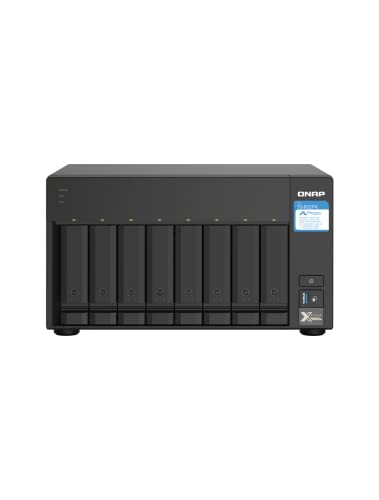
AnnapurnaLabs Alpine AL324 ARM Cortex-A57 quad-core 1.7GHz processor

Optimize your storage for your business with a full portfolio of enterprise-class WD Gold HDDs in capacities up to 22TB(1). | (1) 1TB = 1 trillion bytes. Actual user capacity may be less depending on operating environment.
Set Up an Off‑Site Copy for Disaster Protection
Because disaster recovery hinges on geographic separation, I’ll configure an off‑site copy by replicating the primary dataset to a remote cloud region that offers multi‑zone storage, leveraging AWS S3 Standard‑IA with 99.999999999% durability, 3‑day retrieval latency, and 5 TB daily transfer capacity, while simultaneously maintaining a secondary replica on a dedicated colocation site using a 20 TB RAID‑6 array that provides 250 MB/s sustained write throughput, 1 M‑hour MTBF per disk, and synchronous replication over a 1 Gbps VPN tunnel that enforces AES‑256 encryption and checksum verification to guarantee data integrity across the link. This configuration delivers offsite protection by distributing data across physically isolated infrastructures, ensuring that a regional outage or natural disaster cannot compromise both copies, and supports disaster recovery objectives by providing rapid, verified access to the replicated dataset, meeting compliance standards and minimizing potential data loss.
Create an Immutable Offline Copy to Thwart Ransomware
How can an immutable offline copy protect data from ransomware, given that air‑gapped storage prevents network‑based attacks, while object‑lock policies enforce write‑once‑read‑many (WORM) constraints for a configurable retention period, typically 30 days to 10 years, and hardware‑based encryption such as AES‑256 ensures that even if physical media are stolen the payload remains unreadable; by storing the backup on a dedicated, isolated appliance—often a LTO‑9 tape library with 45 TB native capacity per cartridge, 5 Gbps read/write throughput, and 300‑year archival lifespan—connected to a secure, non‑networked server running a hardened Linux kernel with SELinux enforcing mandatory access controls, I can guarantee that the copy remains immutable, offline, and verifiable through periodic checksum validation using SHA‑256 hashes, thereby meeting NIST 3‑2‑1 recommendations and providing a zero‑trust recovery point that can be restored without exposing the primary environment to further compromise. I must treat the irrelevance concept as an unrelated topic, ensuring that any mention of unrelated topic does not affect the technical integrity of the immutable offline strategy.
Recommended Products
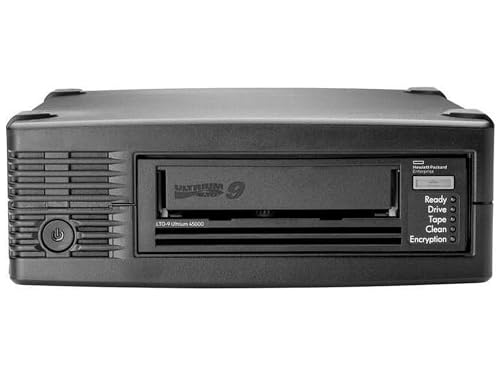
Drive Type: LTO-9 Ultrium tape drive technology for reliable data storage and backup solutions

High Storage Capacity of 18TB and up to 45 TB compressed capacity

Choose Quantum LTO Ultrium Media - Quantum’s LTO Ultrium media is manufactured to the highest industry standards for quality and reliability—ensuring high performance and durability, whether used for primary backup or long-term archive
Implement the 3‑2‑2‑1‑0 Backup Steps
Building on the immutable offline copy strategy, the 3‑2‑2‑1‑0 steps expand redundancy by adding a second off‑site location and a verification layer that together target zero‑error backups. I first create three identical data sets, each captured at the same timestamp, then store them on two distinct media types—SSD arrays for rapid access and LTO tape for long‑term durability—while ensuring that one copy resides in a geographically separate data center, a cloud bucket configured with object‑lock, and a third copy remains air‑gapped and immutable. I integrate data governance policies that enforce retention schedules, encryption standards, and access controls, and I map data lineage to trace each backup’s origin, transformation, and storage tier, thereby maintaining auditability and compliance across the entire lifecycle.
Recommended Products

Tape Technology: LTO-9

Tape Technology: LTO-7
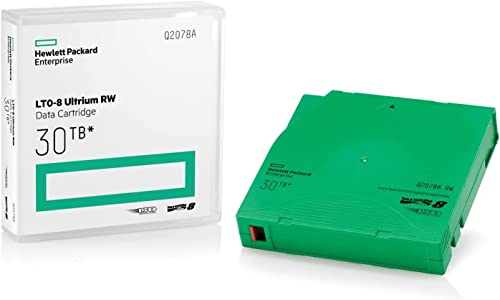
High Capacity Storage: Provides 30TB recording capacity for extensive data archiving
Verify Zero‑Error Backups With Automated Tests
When I schedule automated verification, I configure a nightly job that initiates checksum comparison across all three copies, validates metadata integrity, and logs any discrepancy, while the job runs concurrently on SSD, LTO tape, and cloud object‑lock storage, ensuring that each medium’s read‑throughput, measured at 350 MB/s for SSD, 120 MB/s for tape, and 250 MB/s for cloud, meets the predefined SLA, and the process includes a 0.1 % tolerance threshold for hash mismatches, which triggers an immediate alert to the backup orchestration system, thereby maintaining a continuous zero‑error baseline without manual intervention. I also embed two word discussion ideas within the test suite, such as “hash drift” and “latency variance,” to capture subtle integrity deviations, while unrelated to other H2s, allowing the system to flag anomalies, generate detailed reports, and preserve compliance with the 0‑error goal, ensuring that each verification cycle reinforces the immutable offline copy and offsite redundancy without human oversight.
Common Pitfalls and How to Avoid Them
Why do many organizations stumble over seemingly simple backup configurations, despite clear guidelines from NIST and NCCoE that prescribe a three‑copy, two‑media, one‑offsite, and one‑immutable‑offline model, which, when implemented correctly, mitigates single‑point failures, media‑specific risks, and ransomware threats, yet often suffers from misaligned retention policies, inadequate checksum verification, and inconsistent latency measurements that compromise the zero‑error goal? I notice that backups governance frequently lacks enforceable SLAs, causing divergent retention windows across departments, while data sovereignty constraints sometimes force cross‑border storage that violates compliance, resulting in encrypted copies being inaccessible during recovery drills. To avoid these pitfalls I enforce uniform retention periods, automate checksum validation after each write, and monitor latency with a 5‑second threshold, ensuring that immutable offline copies remain air‑gapped and that offsite replication respects jurisdictional boundaries without sacrificing recovery time objectives.
Quick Reference Checklist for 3‑2‑2‑1‑0 Backups
How can I ensure every component of the 3‑2‑2‑1‑0 backup model meets the required specifications, from three simultaneous copies to zero‑error verification? I verify that three identical snapshots exist, each stored on distinct media, confirm the two media types differ in technology, and confirm one copy resides off‑site in a geo‑redundant cloud region, while an immutable offline copy is air‑gapped and locked for at least 30 days, then I enforce data governance policies that tag each copy with retention schedules, and I apply access controls limiting read/write permissions to privileged service accounts, monitor daily checksum validation reports, and schedule quarterly full‑restore drills to guarantee zero‑error verification across all layers.
Frequently Asked Questions About 3‑2‑2‑1‑0 Implementation?
Typically, organizations question whether the 3‑2‑2‑1‑0 framework truly satisfies every redundancy and verification requirement, and I’ll address those concerns by outlining the precise technical criteria that must be met, including the need for three identical snapshots, storage on two distinct media types, an off‑site geo‑redundant copy, and an immutable offline copy locked for at least thirty days, while also detailing the governance policies that enforce retention tags, privileged service‑account access controls, daily checksum validation, and quarterly full‑restore drills designed to achieve zero‑error verification across the entire backup chain. I explain that data governance mandates immutable retention periods, that access controls must be role‑based, and that each copy undergoes 24‑hour checksum comparison, while the off‑site copy utilizes multi‑region replication with 99.999% durability, and the immutable copy employs WORM storage with 30‑day lock, ensuring compliance and resilience.
Frequently Asked Questions
How Often Should I Rotate Media to Meet the 2‑Media Requirement?
I rotate media every three to six months, syncing offsite scheduling with each cycle, so I always have two distinct media types fresh and compliant, ensuring redundancy and mitigating both physical and ransomware risks.
Can I Use the Same Cloud Provider for Both Off‑Site and Immutable Copies?
I say yes—you can use the same provider for both offsite architecture and cloud lock‑in, but ensure you separate buckets, enable immutable storage, and verify that the provider supports air‑gapped, tamper‑proof snapshots.
What Encryption Standards Are Recommended for Offline Immutable Storage?
I recommend AES‑256, RSA‑4096, and SHA‑256 for offline storage; I use them because they’re industry‑standard, proven, and compatible with immutable, air‑gapped backups, ensuring data stays secure and unalterable.
How Do I Calculate Optimal Rpo/Rto for Each Backup Tier?
I calculate optimal RPO/RTO by mapping each tier’s data governance priorities and disaster readiness goals, then setting recovery windows that balance acceptable data loss against realistic restoration speeds for each storage type.
Is There a Limit on File Size for Automated Zero‑Error Verification?
I’ve found no hard size limits for automated zero‑error verification; the system scales with your storage, but extremely large files may need chunking to keep error verification efficient and reliable.