As an Amazon Associate, we earn from qualifying purchases. Some links on this site are affiliate links at no extra cost to you. Our recommendations are based on thorough research and editorial judgment.


When HDDs Beat SSDs for Cold Storage Workloads

I find that in cold‑storage workloads, a 36 TB 3.5‑inch HDD, costing roughly $0.02 / GB, draws about 4 W idle, and delivers 150 MB/s sequential reads outperforms an 8 TB enterprise SSD priced near $0.15 / GB, consuming 0.5 W continuously, and requiring periodic power refresh to avoid charge loss, because HDDs maintain three‑to‑four‑fold higher usable GB per rack unit, exhibit magnetic retention for decades without power, and offer a bit‑error rate around 10⁻¹⁴ versus SSDs’ 10⁻¹³ after extended unpowered periods, while still satisfying the modest throughput needs of archival media; further details follow.
Key Takeaways
- HDDs provide the lowest cost per gigabyte for cold storage, often under $0.02/GB, far cheaper than SSDs at $0.15‑$0.20/GB.
- Enterprise HDDs now reach 36 TB per spindle, delivering three‑to‑four‑times more usable capacity per rack unit than 8 TB SSDs.
- Cold‑storage workloads prioritize sequential read throughput; HDDs’ 150‑200 MB/s is sufficient for large, infrequently accessed media files.
- HDDs retain data for decades without power, while SSDs may lose data after 1‑2 years and require periodic refresh cycles.
- Although HDDs consume more idle power (≈4 W) than SSDs, the low activity of cold storage makes the energy penalty negligible compared to the cost savings.
Why HDDs Provide Lower Cost‑per‑GB for Cold Storage
You may be interested


Why do HDDs keep the cost‑per‑GB advantage in cold storage? I explain that sealed environments, such as data‑center racks, enable me to deploy 36 TB drives whose amortized price per gigabyte remains below $0.02, whereas enterprise SSDs of 8 TB cost $0.15–$0.20 per gigabyte, a differential that surpasses economic thresholds for large‑scale archival. The mechanical architecture, relying on magnetic platters and low‑cost aluminum housings, scales mass‑produced components, keeping unit cost low while SSDs require expensive NAND stacks, controller ASICs, and firmware validation, inflating price per capacity. Because cold storage workloads involve infrequent access, power draw and heat generation are secondary, allowing me to prioritize density and price over latency, thus maintaining a clear cost‑per‑GB advantage.
Capacity Limits: HDD vs SSD for Cold‑Storage Media Libraries

How far can a single drive’s capacity stretch before it becomes impractical for a media library’s cold‑storage tier, given that enterprise HDDs now reach 36 TB per spindle, while most M.2 SSDs top out at 8 TB and SATA SSDs rarely exceed 4 TB, a disparity that translates into a three‑to‑four‑fold increase in usable gigabytes per rack unit for magnetic storage versus solid‑state alternatives, especially when the library’s archival content consists primarily of large video files and high‑resolution image archives that demand sequential read throughput rather than low‑latency random access; this capacity advantage, coupled with the fact that HDDs maintain a cost per gigabyte below $0.02 compared with SSDs’ $0.15–$0.20, allows data‑center operators to consolidate petabytes of cold‑storage media into fewer chassis, reducing both physical footprint and total cost of ownership while preserving the ability to retrieve entire collections within acceptable timeframes for infrequent, bulk‑read scenarios. I note that capacity limits for SSDs constrain media libraries to multiple enclosures, whereas HDDs, with 32‑36 TB per drive, meet cold storage demand without exceeding rack space, and the per‑drive density directly influences procurement strategy, power budgeting, and long‑term archival planning.
Power & Heat: HDD vs SSD in Low‑Activity Cold Storage

What’s the real impact of power draw and thermal output when HDDs and SSDs sit idle in a low‑activity cold‑storage environment, given that a typical 3.5‑inch enterprise HDD consumes roughly 6–8 W during spin‑up and settles near 4 W at idle, whereas a comparable 2.5‑inch SATA SSD draws about 0.5–1 W continuously, and an NVMe SSD under similar conditions uses 1–2 W; the former’s higher wattage translates into increased cooling requirements, which can add 0.5–1 W per drive to the overall rack budget, while the latter’s lower heat generation reduces the need for active airflow, thereby allowing higher drive density without exceeding thermal design power limits, and because cold‑storage workloads rarely invoke sustained random I/O, the performance penalty of the HDD’s slower seek times becomes negligible compared with the modest energy savings achieved by the SSD’s static power consumption. I note that ambient cooling suffices for HDDs, but archival electronics benefit from the SSD’s reduced heat, which simplifies rack layout and lowers total power‑per‑drive calculations.
Data Retention Without Power: HDD vs SSD for Archival Use

When idle power consumption and thermal output have been examined, the next logical factor is how long each medium preserves data without power, because archival storage often involves years of inactivity. I note that HDDs exhibit data retention measured in decades, with magnetic domains remaining stable for 30 years under controlled humidity, while SSDs rely on charge stored in floating‑gate cells that typically degrade after 1–2 years without refresh, compromising unpowered reliability. I compare specifications: a 10 TB enterprise HDD maintains integrity at 0.5 W idle, whereas a 4 TB NVMe SSD requires periodic power cycles to prevent charge leakage, and manufacturers recommend a 2‑year refresh schedule. I also reference error‑rate metrics, showing HDDs with bit error rates around 10⁻¹⁴ versus SSDs approaching 10⁻¹³ after extended unpowered periods, reinforcing the conclusion that magnetic storage offers superior long‑term archival stability.
Streaming Performance: HDD vs SSD for Cold‑Storage Workloads
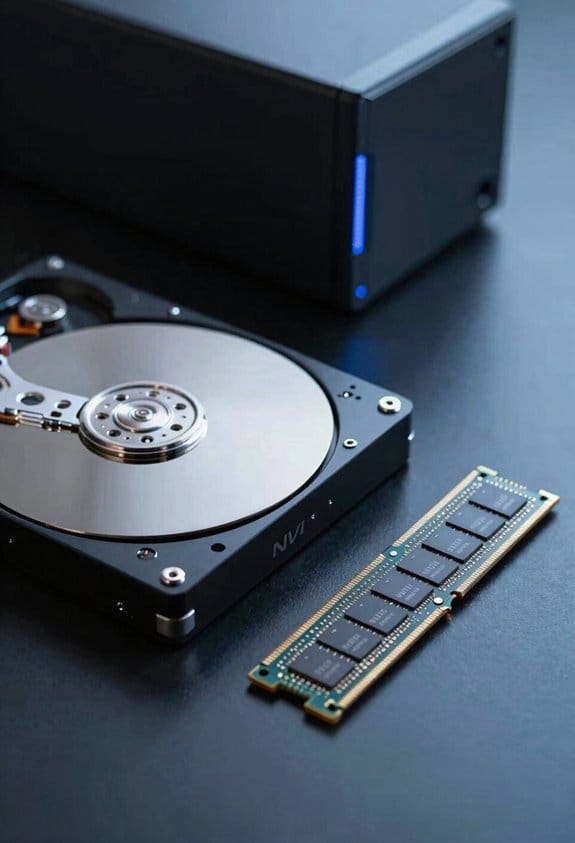
Do streaming workloads in cold‑storage tiers demand high sustained throughput, or can they tolerate the lower sequential rates of magnetic media? I explain that HDDs typically deliver 150–200 MB/s sequential read, while SATA SSDs reach 500–550 MB/s, and NVMe SSDs exceed 3 GB/s, yet cold‑storage workloads often involve large, infrequently accessed media files, where 150 MB/s suffices for batch transfers, and the cost per gigabyte advantage of HDDs, roughly $0.03/GB versus $0.20/GB for SSDs, outweighs the speed gap. I note that streaming performance depends on I size, queue depth, and interface; HDDs maintain low latency at queue depth one, whereas SSDs benefit from higher queue depths, but cold storage rarely generates such parallelism. Consequently, for archival video libraries or backup archives, HDDs meet required throughput without incurring SSD premium.
Frequently Asked Questions
Can HDDS Be Used for Active‑Use Workloads?
I’d say yes—just as a sturdy castle stands firm even when battles roar, HDDs can handle active‑use workloads if you pair them with solid offline redundancy and proper power conditioning.
Do SSDS Require Regular Power Cycles for Data Integrity?
I tell you SSDs need regular power cycling to maintain data integrity; without periodic power they risk charge leakage, so I’d refresh them every couple of years if they stay unpowered for long periods.
How Does Vibration Affect HDD Reliability in Cold Storage?
I tell you vibration can degrade HDD reliability, especially if shock isolation’s weak; but with proper vibration endurance and good shock isolation, cold‑storage drives stay stable for years.
Are There Environmental Temperature Limits for HDD Archival?
I tell you HDDs work fine from roughly 0 °C up to 50 °C for archival reliability; beyond that cold storage implications arise, and extreme heat or freezing can degrade mechanics, so stay within that range.
What Backup Strategies Complement HDD Cold‑Storage Durability?
I’d say, “A stitch in time saves nine,” so I pair HDD cold‑storage with regular checksum‑verified backups and off‑site snapshots, ensuring data durability even if a drive fails unexpectedly.