As an Amazon Associate, we earn from qualifying purchases. Some links on this site are affiliate links at no extra cost to you. Our recommendations are based on thorough research and editorial judgment.

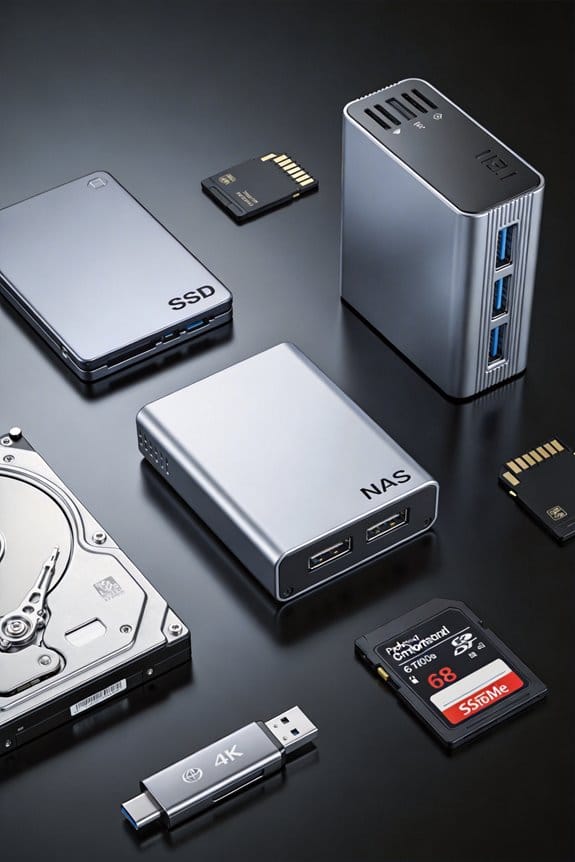
SSDs vs HDDs: When Speed Finally Beats Price Per TB

I see that 2026 consumer 1 TB PCIe Gen 4 SSDs average $150 per TB, Gen 5 SSDs reach $230 per TB, while 7200 RPM HDDs stay around $21 per TB, yet SSDs deliver sub‑millisecond latency, 5–8 GB/s sequential throughput, and roughly 5 W power per 10 TB versus HDDs’ 200 MB/s and 12 W per 10 TB, making speed‑centric workloads justify the higher price per terabyte; the 4 TB Gen 4 drive, priced near $90–$110 per TB, offers 5 GB/s read, 4 GB/s write, and latency under 100 µs, representing the sweet spot for budgets that prioritize performance over cost, and if you continue you’ll discover the detailed trade‑offs between Gen 5 and Gen 4, and between enterprise SSDs and HDDs.
Key Takeaways
- In 2026, enterprise SSDs cost $302 / TB versus HDDs at $20 / TB, making SSDs price‑dominant unless performance is critical.
- PCIe Gen 4 4 TB SSDs deliver ~5 GB/s read at $90‑$110 / TB, a sweet spot where speed outweighs the modest price premium over HDDs.
- Gen 5 SSDs provide 7‑8 GB/s reads at $200‑$260 / TB, offering sub‑millisecond latency but only justified for latency‑sensitive workloads.
- HDDs remain cost‑effective for bulk storage, offering 7200 RPM and ~200 MB/s reads at $19‑$24 / TB, suitable when speed tolerance is high.
- SSDs consume ~5 W per 10 TB versus HDDs ~12 W per 10 TB, delivering lower power per TB alongside superior performance.
Compare 2026 SSD Prices to HDD Cost‑per‑TB (SSD Price per Terabyte)
You may be interested
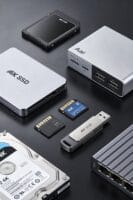
When examining 2026 storage pricing, SSDs show a pronounced increase in cost per terabyte, with consumer 1 TB models ranging from $143 to $200, while enterprise‑grade 122.88 TB drives surge from $12,399 in May 2026 to $37,128 in March 2026, translating to a per‑terabyte price jump from $101 to $302. I note that speed priority drives many buyers toward PCIe Gen 5 SSDs, which, despite their $200‑$260 per‑TB cost, deliver sub‑millisecond latency and sequential read speeds exceeding 7 GB/s, whereas HDDs, maintaining a $19‑$24 per‑TB range, provide rotational speeds of 7200 RPM, resulting in average read rates near 200 MB/s. Consequently, a price focus on SSDs yields higher performance at substantially higher expense, while HDDs retain cost efficiency for capacity‑heavy, speed‑tolerant workloads.
Recommended Products
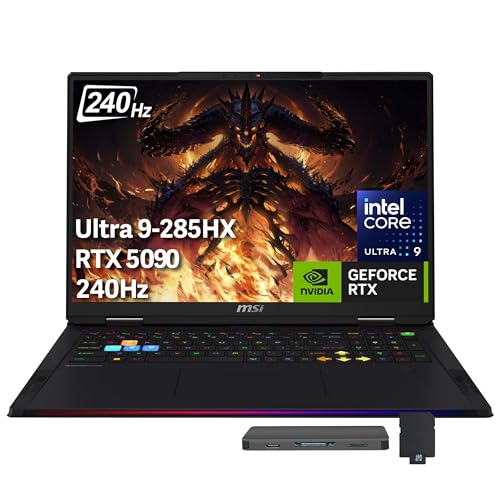
【Upgraded】Seal is opened for upgrade only, 1-Year warranty on Upgraded RAM/SSD from Snow Bell, and original 1-Year Manufacture warranty on remaining components. 【18" QHD+ 240Hz Display】Embrace life-like colors and bid farewell to a flickering screen. Elevate your digital encounters and immerse yourself in a captivating virtual world like never before.

Processor - Intel Ultra 9 275HX, 24C (8P + 16E) / 24T, P-core 2.7 / 5.4GHz, E-core 2.1 / 4.6GHz, 36MB
Processor - Intel Ultra 9 275HX, 24C (8P + 16E) / 24T, P-core 2.7 / 5.4GHz, E-core 2.1 / 4.6GHz, 36MB
Identify the 4 TB SSD Sweet Spot for Speed‑Focused Budgets (SSD Price per Terabyte)

If you prioritize speed while keeping a 4 TB budget, the sweet spot lies around the mid‑range PCIe Gen 4 SSDs that deliver roughly 5 GB/s sequential read, 4 GB/s write, and latency under 100 µs, yet cost per terabyte stays near $90‑$110, compared with Gen 5 models that exceed $200 per terabyte for marginal performance gains. I evaluate capacity density, noting that a 4 TB PCIe Gen 4 drive packs roughly 1 TB per 2.5‑inch slot, achieving a practical balance between performance and space utilization, while price volatility remains moderate, with quarterly fluctuations under 5 % versus the double‑digit swings observed in 1 TB segments. Consequently, for workloads demanding high I/O throughput, low latency, and reasonable budget constraints, the mid‑range PCIe Gen 4 4 TB SSD represents the most efficient allocation of resources, delivering consistent performance without the premium cost of emerging Gen 5 alternatives.
Recommended Products
[CPU] Intel Core Ultra 9 285K Processor (24 Cores, 24 Threads, 3.7 GHz Base Clock Speed up to 5.7 GHz Max Boost Clock Speed) for Elite Gaming and Content Creation | [STORAGE] 4TB T710 PCIe NVMe Gen5 M.2 SSD + 4TB PCIe NVMe Gen4 M.2 SSD - Experience Hyper-Fast Bootup and Data Transfer thats up to 30x Faster Performance than a Traditional Hard Drive.

[CPU] AMD Ryzen 9 9950X3D Processor (16 Cores, 32 Threads, 4.3 GHz Base Clock Speed up to 5.7 GHz Max Boost Clock Speed) for Elite Gaming and Content Creation with 4nm Leading Edge Technology | [STORAGE] 4TB PCIe Gen4 NVMe M.2 SSD - Experience Hyper-Fast Bootup and Data Transfer thats up to 30x Faster Performance than a Traditional Hard Drive. Store all of your files on the included 6TB 7200rpm 3.5"" Hard Disk Drive

[CPU] AMD Ryzen 9 9950X3D Processor (16 Cores, 32 Threads, 4.3 GHz Base Clock Speed up to 5.7 GHz Max Boost Clock Speed) for Elite Gaming and Content Creation with 4nm Leading Edge Technology | [STORAGE] 4TB PCIe NVMe Gen4 M.2 SSD - Experience Hyper-Fast Bootup and Data Transfer thats up to 30x Faster Performance than a Traditional Hard Drive.
PCIe Gen 5 vs. Gen 4: Performance Gains Worth the Premium?

How do the throughput, latency, and power characteristics of PCIe Gen 5 SSDs compare to those of Gen 4 models, given that the former typically deliver 7–8 GB/s sequential reads and 6–7 GB/s writes, while the latter sustain 5–6 GB/s reads and 4–5 GB/s writes, and both maintain sub‑100 µs random read latency, yet Gen 5 drives consume roughly 15 % more power per terabyte and cost $200–$260 for 1 TB versus $120–$150 for Gen 4, resulting in a performance‑to‑price ratio that must be evaluated against workload demands and budget constraints? I note that the 2 GB/s uplift in sequential read speed can reduce data‑pipeline bottlenecks for high‑resolution video editing, while the 1 GB/s increase in write throughput benefits database transaction logs, but the extra power draw may strain thermal design limits in dense server racks; unreliable supply chains further complicate procurement, and warranty gaps observed in early Gen 5 releases could affect long‑term reliability assessments, prompting a careful cost‑benefit analysis before committing to the premium tier.
Recommended Products

[CPU] AMD Ryzen Threadripper PRO 9995WX (96 Cores, 192 Threads, 2.5 GHz Base Clock Speed up to 5.4 GHz Max Boost Clock Speed) delivers unmatched reliable full spectrum performance with enterprise class security features, manageability, and unrivaled expandability. | [STORAGE] 4TB T710 PCIe NVMe Gen5 M.2 SSD - Experience Hyper-Fast Bootup and Data Transfer thats up to 30x Faster Performance than a Traditional Hard Drive. Store all of your files on the included 12TB 7200rpm 3.5" Hard Disk Drive.

HPE SMART CHOICE MODEL – P71687-005 – TOWER SERVER: HPE ProLiant ML110 Gen11 4514Y 2.0GHz 16-core 1P 64GB-R 8SFF MR408i-o 2x960GB SSD 2x800W PS NA Server (P71687-005) equipped with one Intel Xeon Silver 4514Y processor, ideal for small to mid-sized businesses needing balanced compute and storage performance.
[CPU] Intel Core Ultra 9 285K Processor (24 Cores, 24 Threads, 3.7 GHz Base Clock Speed up to 5.7 GHz Max Boost Clock Speed) for Elite Gaming and Content Creation | [STORAGE] 4TB PCIe NVMe T710 Gen5 M.2 SSD - Experience Hyper-Fast Bootup and Data Transfer thats up to 30x Faster Performance than a Traditional Hard Drive. Store all of your files on the included 6TB 7200rpm 3.5" Hard Disk Drive
Enterprise SSD vs. HDD: Density, Power, and Price per TB

Enterprise SSDs, which now cost $302 per terabyte for a 122.88 TB drive, contrast sharply with enterprise HDDs that stay around $20 per terabyte for 6‑22 TB models, a disparity that reflects differences in storage density, power draw, and total cost of ownership. I note that SSDs achieve higher density tradeoffs by stacking NAND cells vertically, allowing a single 2.5‑inch bay to hold over 100 TB, whereas HDDs require multiple 3.5‑inch bays for comparable capacity, increasing rack footprint. Power efficiency favors SSDs, which consume roughly 5 W per 10 TB versus 12 W for a 10 TB HDD under typical workloads, reducing cooling demands. However, HDDs maintain lower acquisition cost per TB, enabling budget‑constrained deployments to prioritize capacity over speed. The combined effect of density, power, and pricing shapes total cost of ownership across varied enterprise workloads.
Recommended Products

[High Endurance Grade] : No.1 NAS SSD choice in heavy workloads NAS systems|24/7 superior NAS Cache with reliable TBW|Data protection, Power loss protection, ECC, Easy integration, Silent operation|Sequential transfer speed up to 530 MB/s.

Compatibility: 2.5-Inch form factor size for capacity-dense storage, SATA III 6G interface

[High Endurance Grade] : No.1 NAS SSD choice in heavy workloads NAS systems|24/7 superior NAS Cache with reliable TBW|Data protection, Power loss protection, ECC, Easy integration, Silent operation|Sequential transfer speed up to 550 MB/s.
Decide Between Speed‑First and Price‑First Drive Choices

Why prioritize speed over price when selecting storage? I compare PCIe Gen 5 SSDs, such as the Samsung 990 Pro at $200 per terabyte, with enterprise HDDs offering $19.40 per terabyte, noting that speed‑first choices reduce latency, increase I/O throughput, and enable higher rack density, whereas price‑first drives lower upfront expenditure and sustain cost‑effective archival capacity. I assess sustainability costs, observing that SSDs consume less power per gigabyte than HDDs, yet higher manufacturing impact may offset operational savings, while warranty durations of three to five years for SSDs contrast with five to ten years for many HDD models, influencing long‑term total cost of ownership calculations. Consequently, I evaluate each workload’s performance demands, budget constraints, and durability requirements before deciding.
Recommended Products
[CPU] Intel Core Ultra 9 285K Processor (24 Cores, 24 Threads, 3.7 GHz Base Clock Speed up to 5.7 GHz Max Boost Clock Speed) for Elite Gaming and Content Creation | [STORAGE] 4TB PCIe NVMe Gen5 T710 M.2 SSD - Experience Hyper-Fast Bootup and Data Transfer thats up to 30x Faster Performance than a Traditional Hard Drive. Store all of your files on the included 6TB 7200rpm 3.5"" Hard Disk Drive

Display: 18" UHD+ (3840x2400), 16:10, MiniLED, 120Hz Refresh Rate, 100% DCI-P3 (Typ.), VESA DisplayHDR 1000 Certified, IPS-Level panel

GIGABYTE GiMATE as Your Smart AI Mate – Introducing GiMATE, your smart AI Mate that transforms how you interact with technology. GiMATE creates an intelligent interface that truly understands your needs. Control is now more intuitive, more intelligent, and more personal.
Frequently Asked Questions
Do SSDS Have a Longer Warranty Than HDDS?
I’m glad you asked—SSD warranties usually outlast HDDs, but I consider short‑term wear and durability tradeoffs; SSDs often get three‑to‑five‑year coverage, while HDDs typically see two‑to‑four‑year guarantees.
Can SSDS Be Securely Erased Without Data Remnants?
I’ll assure you I can securely erase an SSD, leaving no data remnants, because modern drives support built‑in secure erase commands that reset cells to factory state, eliminating any trace of previous information.
How Does Temperature Affect SSD vs. HDD Reliability?
I tell you temperature fluctuations speed endurance degradation in SSDs faster than HDDs; heat accelerates NAND wear and controller failures, while HDDs mainly suffer bearing and platter expansion, but both lose reliability when temperatures stray far beyond specs.
Are SSDS Compatible With Older Sata‑Only Systems?
Ever wondered if you can upgrade an older SATA‑only PC? I can confirm SSD compatibility with legacy SATA systems, though NVMe vs SATA tradeoffs mean slower speeds but easy installation.
Do SSDS Consume More Power Under Heavy Workloads?
I find SSDs draw a bit more power under heavy workloads, but their power efficiency still beats HDDs; workload behavior spikes consumption modestly, yet overall they stay relatively energy‑friendly.