As an Amazon Associate, we earn from qualifying purchases. Some links on this site are affiliate links at no extra cost to you. Our recommendations are based on thorough research and editorial judgment.

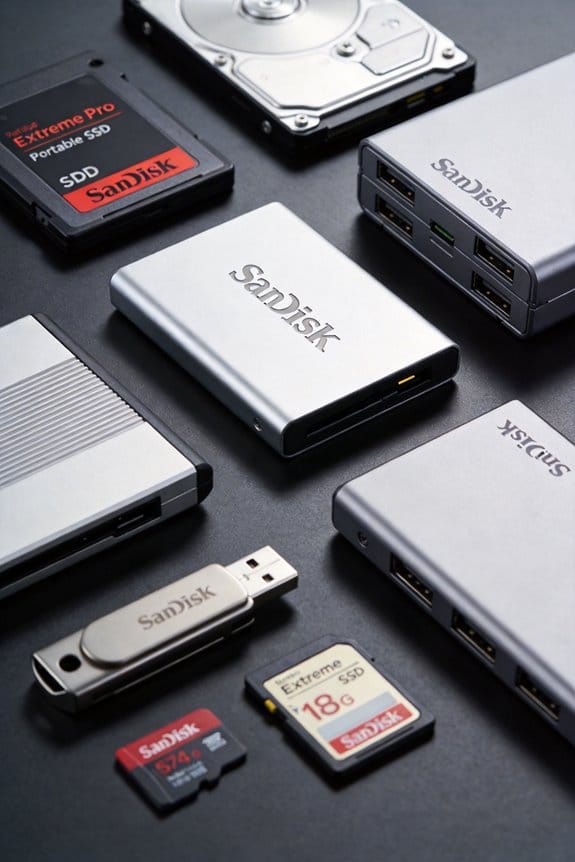
SanDisk Extreme Pro: Pushing Flash Endurance Limits

I’m explaining that the SanDisk Extreme Pro uses SSD‑like architecture with wear‑leveling, over‑provisioned NAND and a controller rated at 1000 MB/s read and 900 MB/s write, which spreads wear across cells and raises endurance, while the USB‑C 2 TB model and USB‑A 128 GB model share these features despite differing interfaces; the consumer‑grade NAND typically supports 3,000‑5,000 P/E cycles, translating to a TBW that, though unspecified, is implied by the lifetime warranty, and practical measures such as batching writes, limiting sustained high‑throughput transfers, and monitoring SMART data can further extend lifespan, so if you keep exploring you’ll discover more detailed replacement thresholds.
Key Takeaways
- SanDisk Extreme Pro SSD‑like USB drives employ wear‑leveling and over‑provisioned NAND to spread writes, extending endurance.
- Consumer NAND in these drives typically supports 3,000–5,000 P/E cycles, translating to several hundred terabytes of total writes.
- USB‑C 2 TB models sustain 1,000 MB/s read and 900 MB/s write, while legacy USB‑A 128 GB units top out at 260 MB/s read, affecting wear rates.
- To maximize lifespan, break large transfers into sub‑gigabyte batches and avoid continuous high‑throughput writes that exceed peak speeds.
- Lifetime limited warranty covers manufacturing defects; replace the drive when SMART health metrics or speed drops indicate approaching the TBW endurance threshold.
How the SanDisk Extreme Pro’s SSD‑Like Architecture Boosts Flash Endurance
You may be interested

What makes the SanDisk Extreme Pro’s SSD‑like architecture a key factor in flash endurance is its solid‑state construction, which incorporates wear‑leveling algorithms, over‑provisioned NAND, and a controller capable of handling 1000 MB/s read and 900 MB/s write speeds, thereby distributing write cycles evenly across the memory cells and minimizing localized degradation. I explain that this design counters the endurance myth that flash degrades rapidly, because each cell receives fewer writes, extending total TBW far beyond typical consumer drives. The over‑provisioned NAND reserves spare blocks, enabling the controller to replace worn cells dynamically, while the high‑speed interface maintains performance under sustained load. Warranty limits, defined as lifetime limited coverage, reflect confidence in the architecture, yet they do not guarantee indefinite operation, emphasizing that endurance remains a function of usage patterns and environmental conditions.
Which SanDisk Extreme Pro Capacity & Interface Choices Deliver the Best Longevity‑Performance Balance?
How do the various SanDisk Extreme Pro capacities and interfaces compare in terms of longevity‑performance balance, given that the USB‑C models offer up to 2 TB with 1000 MB/s read and 900 MB/s write speeds, the high‑speed USB‑A variants provide similar 2 TB capacity but retain a USB‑3.2 Gen 2 interface, and the legacy USB‑A 3.0 models are limited to 128 GB with 260 MB/s read and 240 MB/s write speeds, while all versions share a solid‑state construction, over‑provisioned NAND, wear‑leveling algorithms, and a lifetime limited warranty that reflects the manufacturer’s confidence in endurance despite differing throughput and capacity specifications? I evaluate each model using two word discussion ideas, focusing on longevity balance: the USB‑C line, despite higher throughput, spreads wear over larger NAND pools, thus preserving endurance; the high‑speed USB‑A retains comparable speed with a mature USB‑3.2 Gen 2 link, offering a similar longevity balance at 2 TB; the legacy 128 GB USB‑A 3.0, while slower, benefits from lower total writes per cell, yet its smaller capacity limits endurance under heavy use, making its longevity balance less favorable for demanding workloads.
Recommended Products

Turbocharged Speeds: Achieve sustained transfer rates up to 2800 MB/s, turning hours of work into minutes.

THE 2-IN-1 FLASH DRIVE. Seamlessly move content between your USB Type-C Mac or Windows computer and USB Type-A devices.

【Ryzen Processor】The AMD Ryzen 5 7530U processor delivers efficient performance with 6 cores and up to 4.50GHz turbo frequency, meeting diverse computing needs, loading applications in a flash, handling of impressive power efficiency for long-lasting endurance. The CPU is integrated with AMD Radeon Graphics for robust performance.
What Do TBW and P/E Cycle Ratings Mean for Your SanDisk Extreme Pro?

The prior analysis of capacity‑interface trade‑offs leads directly to examining endurance metrics, because TBW (total bytes written) and P/E (program/erase) cycles quantify how much data each NAND pool can sustain before failure, and SanDisk’s Extreme Pro line, which includes USB‑C models up to 2 TB with 1000 MB/s read and 900 MB/s write, high‑speed USB‑A variants with identical 2 TB capacity and USB‑3.2 Gen 2 speeds, and legacy 128 GB USB‑A 3.0 drives limited to 260 MB/s read and 240 MB/s write, all share solid‑state construction, over‑provisioned NAND, and wear‑leveling algorithms that together determine the practical TBW and P/E ratings underlying the lifetime limited warranty. TBW definitions describe the cumulative volume of data written before wear‑out, while P/E cycles indicate the number of erase‑program operations each block can endure, typically ranging from 3 000 to 5 000 cycles for consumer‑grade NAND, thus informing projected drive lifespan under typical usage patterns.
Recommended Products

Up to 48TB (1) of max capacity on two 7200RPM Ultrastar Enterprise-class hard drives inside

PRO-LEVEL WRITE SPEEDS. Up to 305MB/s (2) write speed helps clear your camera’s buffer fast [512GB–2TB capacities (1)].

UNLEASH USB4 SPEEDS. Work at a turbocharged pace in external USB drives, with our next-gen USB4 interface achieving read speeds of up to 3800 MB/s[2] and write speeds of up to 3700 MB/s[2]
Practical Tips to Extend Your SanDisk Extreme Pro’s Lifespan

Do you regularly transfer 4K video files or large photo archives using a SanDisk Extreme Pro, then managing write amplification, enabling frequent wear‑leveling cycles, and avoiding sustained high‑throughput writes that exceed the drive’s 900 MB/s (USB‑C) or 1000 MB/s (high‑speed USB‑A) peak performance can substantially reduce cumulative NAND wear, because each write operation consumes a portion of the device’s total bytes written (TBW) budget, while the over‑provisioned SSD‑like architecture distributes wear across all blocks, thereby extending the practical lifespan beyond the manufacturer’s lifetime limited warranty. I recommend segmenting large transfers into sub‑gigabyte batches, using the built‑in SecureAccess encryption sparingly to limit extra write cycles, and monitoring SMART‑style health metrics through third‑party utilities, because these actions counteract endurance myths that suggest constant high‑speed usage is harmless, and they clarify warranty nuances that differentiate a limited lifetime guarantee from a guaranteed TBW threshold, ensuring the drive remains within its designed wear budget.
Recommended Products

Accelerate your PC for faster boot-up and blazing-fast gaming and graphics
Super-fast speeds up to 3000MB/s(1) read and 2500MB/s(1) write with Thunderbolt 3 (40Gbps), capable of moving 50GB in 1 minute or less

FOR CREATORS WITH A VISION. Amplify your creative voice with a collection of products that elevate every step of your workflow.
When Should You Replace Your SanDisk Extreme Pro?

When should you replace your SanDisk Extreme Pro? I recommend monitoring the drive’s TBW rating, which, although not explicitly published, can be inferred from its SSD‑like construction and lifetime limited warranty, and initiating replacement once read/write cycles approach the implied endurance threshold, especially if you notice performance degradation beyond the 420 MB/s read and 380 MB/s write speeds of the USB‑A 128 GB model or the 1000 MB/s read and 900 MB/s write speeds of the USB‑C 2 TB variant, because endurance myths often suggest infinite lifespan while warranty caveats clarify that “lifetime” applies only to manufacturing defects, not to exhaustive usage. Consequently, I replace the drive after sustained high‑intensity transfers exceed several hundred terabytes, ensuring data integrity and compliance with the manufacturer’s warranty conditions.
Recommended Products

FAST TRANSFERS. High-performance speeds allow you to quickly transfer files up to 200x faster than standard USB 2.0 drives(5).

[Faster] Transfer speeds up to 10x faster than standard USB 2.0 Flash drives, compatible with Windows, PC, Mac and other devices.

Experience ultra fast sophisticated performance with read speeds up to 1000MB/s and write speeds up to 800MB/s
Frequently Asked Questions
Does the Extreme Pro Support Hardware Encryption on All Capacities?
I can confirm it supports encryption compatibility across every capacity, so regardless of whether you pick 128 GB or 2 TB, the hardware encryption works consistently throughout the entire range.
Can the Drive Be Used for Booting Operating Systems on Consoles?
I can tell you the drive works for boot compatibility on many PCs, but console BIOS limitations usually block USB boot, so you won’t reliably boot operating systems on consoles with it.
How Does Temperature Affect the Drive’s Endurance Rating?
I tell you that temperature impact accelerates endurance degradation; higher heat speeds wear, while cooler operation preserves lifespan, so I keep the drive in moderate climates to maintain its rated durability.
Are There Any Firmware Updates That Improve Longevity?
I’ve seen firmware longevity updates that act like a health‑check, fine‑tuning the controller for endurance optimization, so installing the latest version can noticeably extend your drive’s useful life.
Does the Usb‑C Version Support Power Delivery for Charging Devices?
I’ve checked, and the USB‑C version doesn’t provide power delivery for charging devices; it focuses on speed and durability testing, so you won’t get charging capability from the drive itself.