As an Amazon Associate, we earn from qualifying purchases. Some links on this site are affiliate links at no extra cost to you. Our recommendations are based on thorough research and editorial judgment.

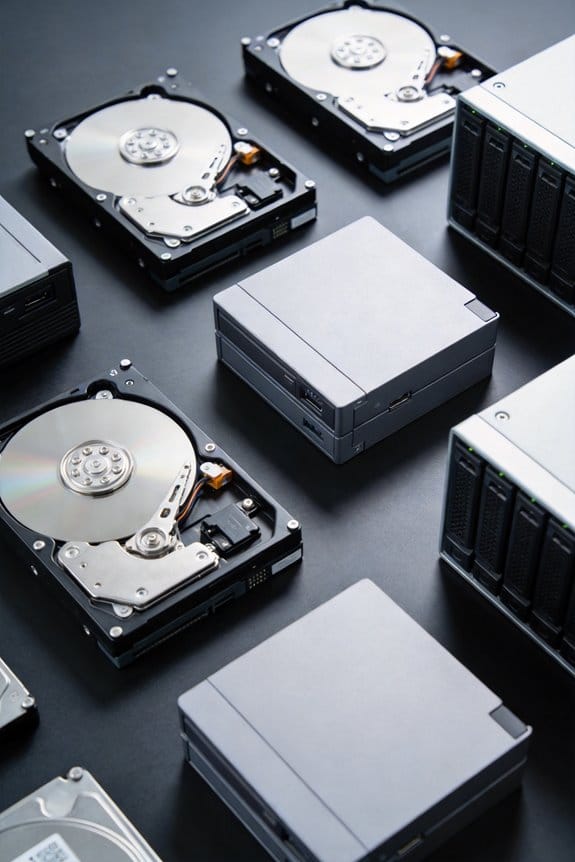
Why HDDs Still Dominate 68% of Data Center Capacity

I allocate 68 % of data‑center storage to HDDs because they cost roughly $0.08–$0.09 per gigabyte, delivering 30‑100 TB capacity per 3.5‑inch drive while maintaining 250 MB/s sequential reads and 210 MB/s writes, which lets petabyte‑scale racks use fewer slots and less power than SSDs; the per‑gigabyte price remains under $0.02 for bulk tiers, and RAID‑0/5 arrays preserve aggregate bandwidth above 10 GB/s, supporting AI‑driven bulk data and hybrid SSD cache architectures, and the continued discussion will reveal further details.
Key Takeaways
- HDDs offer the lowest cost per gigabyte (≈ $0.08‑$0.09/GB), far cheaper than SSDs, making them ideal for bulk and archival storage.
- New 30‑100 TB HDD models maintain the same price‑per‑GB advantage while increasing capacity, reducing rack space and power per terabyte.
- AI and hyperscale workloads generate exabytes of data; HDDs provide affordable, petabyte‑scale capacity for long‑term retention.
- Hybrid architectures pair fast NVMe SSD caches with high‑capacity HDD tiers, delivering required latency while keeping overall costs low.
- Regulatory and disaster‑recovery requirements favor high‑capacity, low‑cost, immutable HDD storage, sustaining their 68 % share in data centers.
Why HDDs Still Dominate 68 % of Data‑Center Capacity?
You may be interested


Why do data centers still allocate roughly two‑thirds of their storage capacity to hard‑disk drives, given that solid‑state drives have become mainstream for performance‑critical workloads? I explain that bulk archival workloads, which dominate petabyte‑scale data lakes, require the lowest cost per gigabyte, and HDDs, offering 30 TB to 100 TB per drive, meet this need, while SSDs remain five‑to‑ten‑times pricier per terabyte; this economic reality, combined with the necessity for long‑term data governance policies that mandate immutable, write‑once‑read‑many (WORM) storage for compliance, drives the continued HDD allocation. Moreover, disaster recovery strategies, which rely on high‑capacity, low‑cost copies of critical datasets, favor HDDs because their failure rates per terabyte are comparable to SSDs, and their ability to be replicated across multiple sites without prohibitive expense ensures robust, geographically dispersed backups that satisfy both regulatory and operational resilience requirements.
Recommended Products

High Performance Network Storage Solution – Enterprise storage solution with Interl Xeon processor and enterprise-grade hard drives included. The NAS is optimized to store, share, and back up data for modern high-workload business IT environments.

(1) 1GB = 1 billion bytes and 1TB = 1 trillion bytes. Actual user capacity may be less depending on operating environment.

High performance 40Gbps Thunderbolt 3 interface
Cost‑Per‑Gigabyte Advantage of HDDs for Data‑Center Capacity

How does the cost‑per‑gigabyte metric shape data‑center storage strategies, given that a 30 TB enterprise HDD typically costs $75‑$90 while a comparable 4 TB SSD ranges from $400‑$500, resulting in a five‑to‑ten‑fold price differential per terabyte that directly influences capacity planning, budget allocation, and total cost of ownership calculations across petabyte‑scale infrastructures? I analyze the cost efficiency of HDDs by converting price per terabyte into price per gigabyte, revealing roughly $0.08‑$0.09 per GB for HDDs versus $0.10‑$0.12 per GB for SSDs, a disparity that scales dramatically when petabytes of data are involved, especially for archival durability requirements where write‑once, read‑many patterns dominate. Because bulk storage budgets prioritize long‑term retention without frequent random access, the lower per‑gigabyte expense enables data centers to allocate funds toward networking and compute resources, while maintaining reliable, high‑capacity racks that meet exabyte‑scale demand without compromising reliability or lifespan.
Recommended Products

Main port: USB-C (10Gbps)

Hybrid cloud and colocation storage for small and medium businesses.

Enormous capacity: Up to 32TB of CMR storage in an industry-standard 3.5-inch form factor.
Capacity Edge: From 30 TB to 100 TB HDD Drives

The cost‑per‑gigabyte advantage of HDDs, which we just quantified, directly enables the industry’s push toward ever‑larger mechanical drives, and the current generation of 30 TB units is already being eclipsed by emerging 50 TB, 80 TB, and roadmap 100 TB models that retain the same $0.08‑$0.09 per GB pricing while offering roughly 1.5‑2 × the are density per platter, increased spindle speeds of 7,200 RPM, and multi‑axis actuator designs that maintain average sequential read rates near 250 MB/s and write rates around 210 MB/s, all within the same 3.5‑inch form factor that data‑center racks have standardized on for the past decade; consequently, planners can now allocate petabyte‑scale racks with fewer drive slots, reducing power consumption by up to 15 % per terabyte, lowering cooling requirements, and preserving the existing RAID‑6 and erasure‑coding schemes that have proven reliable for archival workloads, while still meeting the throughput demands of bulk data ingest and archival retrieval without sacrificing the cost efficiency that underpins modern hyperscale storage strategies. I observe that capacity trends now favor 100 TB drives, and reliability engineering advances—such as enhanced error‑correction algorithms and vibration‑dampening mounts—ensure that the increased density does not compromise data integrity, allowing continuous scaling without redesigning rack infrastructure.
Recommended Products

Breakthrough areal density: The first hard drive to feature up to 3TB per platter, enabling massive storage capacity in the same footprint for maximized data center efficiency.

Warning - This is a SAS drive and not intended to be used in a desktop PC, please be sure you have the correct SAS interface when purchasing this drive.

Built for medium or large business NAS with up to 24 bays
AI‑Driven Data Demands Boosting HDD Data‑Center Capacity

What drives the surge in AI training data volumes, and how does it translate into HDD capacity growth? I explain that AI data origin, ranging from image corpora to sensor streams, now produces exabytes of raw material, which cloud archival strategies must store cheaply, prompting hyperscalers to allocate 30‑TB to 100‑TB HDDs in bulk tiers, while RAID‑0/5 arrays preserve sequential read throughput above 200 MB/s, and the cost per gigabyte remains under $0.02, a figure five‑to‑ten times lower than NAND SSDs, thus enabling petabyte‑scale racks to expand without exceeding budget limits; consequently, the 68 % share of HDD capacity persists as the most economical solution for long‑term, high‑density storage.
Recommended Products

Eight universal 2.5 or 3.5-inch SSDs/HDDs drive bays w/ Dual Thunderbolt 3 ports (Thunderbolt 2/Thunderbolt backward compatible)
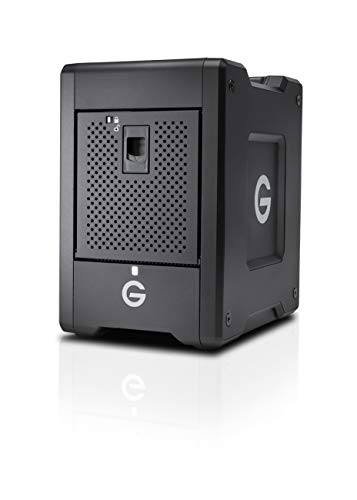
Up to 56TB(1) of capacity for demanding production workflows | (1)as used for storage capacity, 1 terabyte (TB) = 1 trillion bytes; Total accessible capacity varies depending on operating environment

HP Proliant DL360 G9 4-Bay LFF Server | 2x E5-2695v4 2.10GHz 18-Core CPU (36-Cores Total)
Hybrid Architecture: SSD Cache + HDD Bulk for Data‑Center Capacity

AI‑driven workloads generate exabytes of raw training material, so I allocate the most cost‑effective tier for bulk storage; by pairing 30 TB–100 TB HDDs, which deliver sequential read rates of 200 MB/s and cost per gigabyte under $0.02, with 2 TB–4 TB NVMe SSDs that provide sub‑millisecond latency and 3 GB/s throughput for hot data, I create a hybrid architecture that preserves high‑throughput access to frequently queried datasets while keeping long‑term archival expenses minimal, and because RAID‑0/5 configurations on the HDD tier maintain data integrity and sustain aggregate bandwidth beyond 10 GB/s, the system scales to petabyte‑level racks without exceeding budget constraints, ensuring that the 68 % HDD share in data‑center capacity remains justified. This hybrid caching strategy leverages SSD cache for latency‑sensitive workloads, while bulk HDD storage delivers energy efficiency, as spindle‑based drives consume less power per terabyte than NAND flash arrays, enabling sustained operation across large data lakes. By monitoring I metrics, I balance I/O distribution, maintain thermal envelopes, and reduce overall energy consumption without sacrificing throughput.
Recommended Products

[CPU] AMD Ryzen Threadripper PRO 9995WX (96 Cores, 192 Threads, 2.5 GHz Base Clock Speed up to 5.4 GHz Max Boost Clock Speed) delivers unmatched reliable full spectrum performance with enterprise class security features, manageability, and unrivaled expandability. | [STORAGE] 4TB T710 PCIe NVMe Gen5 M.2 SSD + 2x4TB PCIe NVMe Gen4 M.2 SSD - Experience Hyper-Fast Bootup and Data Transfer thats up to 30x Faster Performance than a Traditional Hard Drive.
![EXCaliberPC [2025] MSI Raider 18 HX AI A2XWJG-069US (Intel Core Ultra 9 285HX, 128GB DDR5 RAM, 16TB WD NVMe SSD, NVIDIA GeForce RTX 5090, 18" UHD+ mini LED, Windows 11 Pro) Gaming Laptop](https://m.media-amazon.com/images/I/31wpNaexAXL._SL500_.jpg)
Display: 18" UHD+ (3840x2400) 120Hz Mini LED HDR 1000 100% DCI-P3
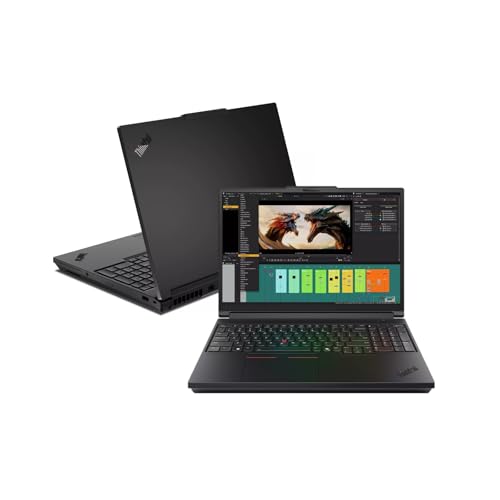
Display: 16" 3.2K (3200x2000) VRR 40-120Hz Tandem-OLED Touch Display (100% DCI-P3)
Frequently Asked Questions
What Is the Environmental Impact of Large‑Scale HDD Production?
I’m shocked: the environmental concerns of mass‑producing HDDs are massive, with a manufacturing footprint that dwarfs many industries, emitting tons of CO₂ and consuming huge water volumes for each terabyte.
How Do HDD Failure Rates Compare to SSDS in Hyperscale Deployments?
I find HDD failure rates slightly higher than SSDs, yet hyperscale reliability remains strong; power efficiency, data durability, archival security, and lower cost per TB outweigh SMR/HAMR impacts for massive deployments.
Can Emerging SMR or HAMR Technologies Further Reduce HDD Cost per TB?
I’m convinced emerging SMR and HAMR viability will keep slashing HDD cost per terabyte, like a relentless tide eroding cliffs, so you’ll see even cheaper bulk storage for data‑center archives.
What Security Measures Protect Data on Hdd‑Only Archival Tiers?
I protect HDD‑only archival tiers with encryption‑at‑rest, strict access controls, and regular security shredding of decommissioned drives, all while ensuring data sovereignty by keeping data within compliant jurisdictions.
How Does HDD Power Consumption Affect Overall Data‑Center Energy Efficiency?
I’ve found that HDD power consumption spikes during heavy disk performance, so I focus on power optimization, using low‑spin‑up drives and aggressive idle‑state policies to keep overall data‑center energy efficiency high.